

Templates
Start from a prepared survey or retro format instead of a blank page, from the shared templates gallery.
Templates give you a starting set of questions or a retro format. Review them before use so the wording fits your audience and the decision you need to make.
Find a template
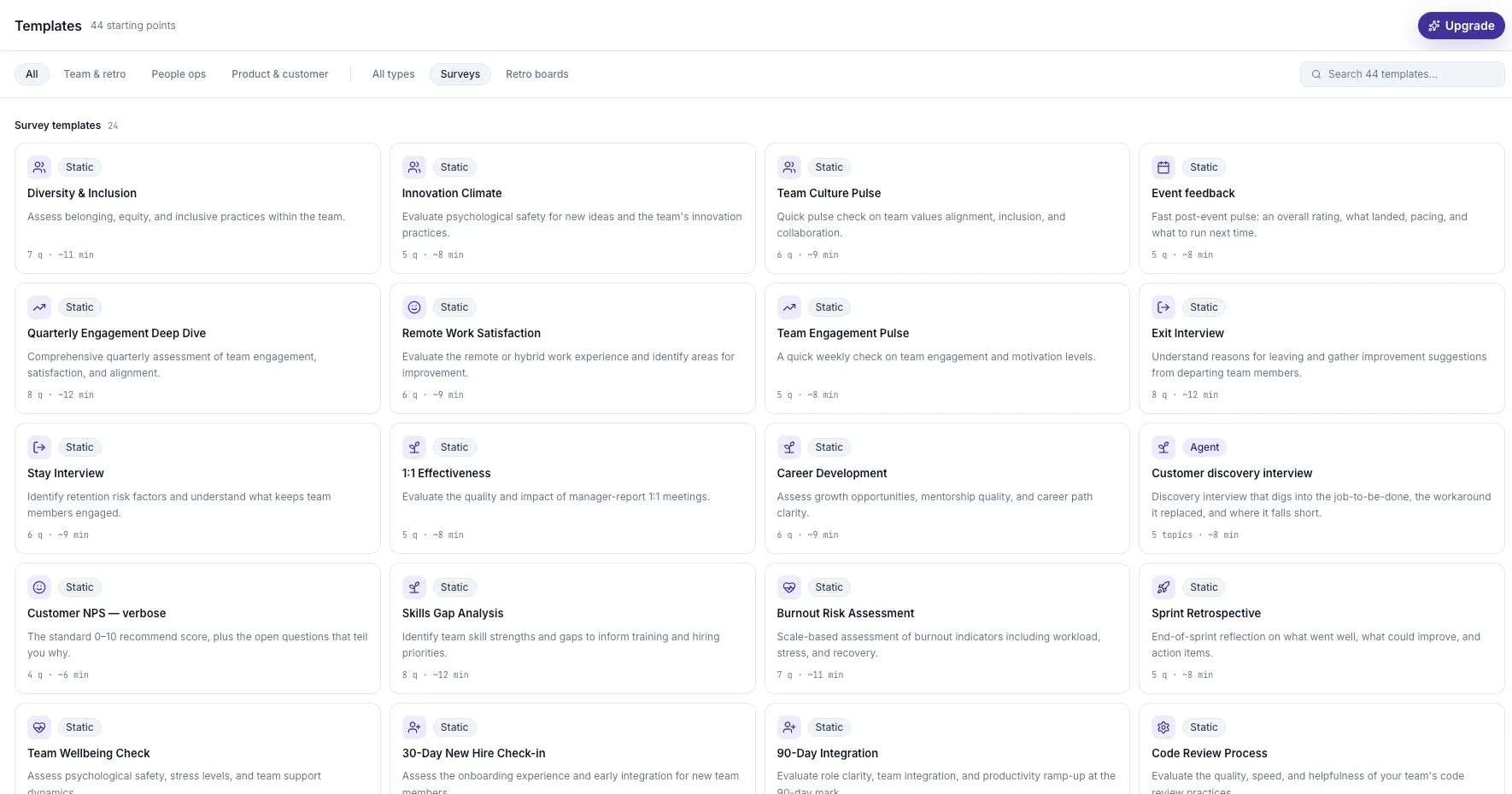
Section titled “Find a template”Open Templates in the sidebar. Filter by Team & retro, People ops, or Product & customer, then use search to narrow the list.
Where retros are enabled, choose Surveys or Retro boards to avoid mixing the two types. A survey collects individual responses; a retro board supports a shared team session.
Preview and use it
Section titled “Preview and use it”- Select a template card.
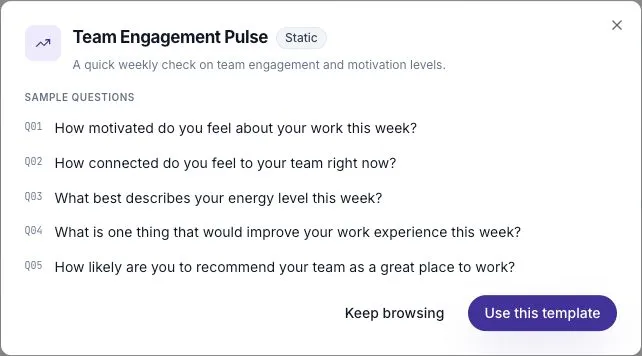
- Read the description and sample questions in the preview.
- Select Use this template to create your survey, or Keep browsing to return.
- Review setup, questions, and send settings before publishing.
The new survey is a copy you can edit. Later changes to the template do not change a survey you already created.
Adapt the questions
Section titled “Adapt the questions”Replace terms your audience will not recognize. Remove questions that do not help your decision, and check the estimated time after editing.
For example, a weekly engagement template may be a useful starting point for a team check. Add a clear time period, such as “this sprint,” and avoid adding a second idea to a question that already works.
See Write useful survey questions for examples.
Check the mode and plan
Section titled “Check the mode and plan”A Static template gives you fixed questions. An Agent template provides a starting point for an adaptive interview. The card tells you which it is.
Shared workspace templates and Agent template access depend on the plan. An upgrade prompt means the template requires a capability your workspace does not currently have.
Reuse a successful survey
Section titled “Reuse a successful survey”If you have already refined a survey, duplicate it for a one-off copy or use recurring survey settings for a planned series. Keep comparable questions stable so a wording change does not get mistaken for a change in feedback.