

Send branded email
Send survey invitations and reminders from your own address by verifying your sending domain.
Out of the box, survey invites and reminders send from [email protected]. Branded email authenticates a domain you own so they send from your address instead — [email protected], from “Acme Research”.
You need Pro, Business, or Enterprise, access to Branding settings, and permission to add DNS records for your domain. DNS records tell other mail systems which services may send mail for you.
1. Enter your sending details
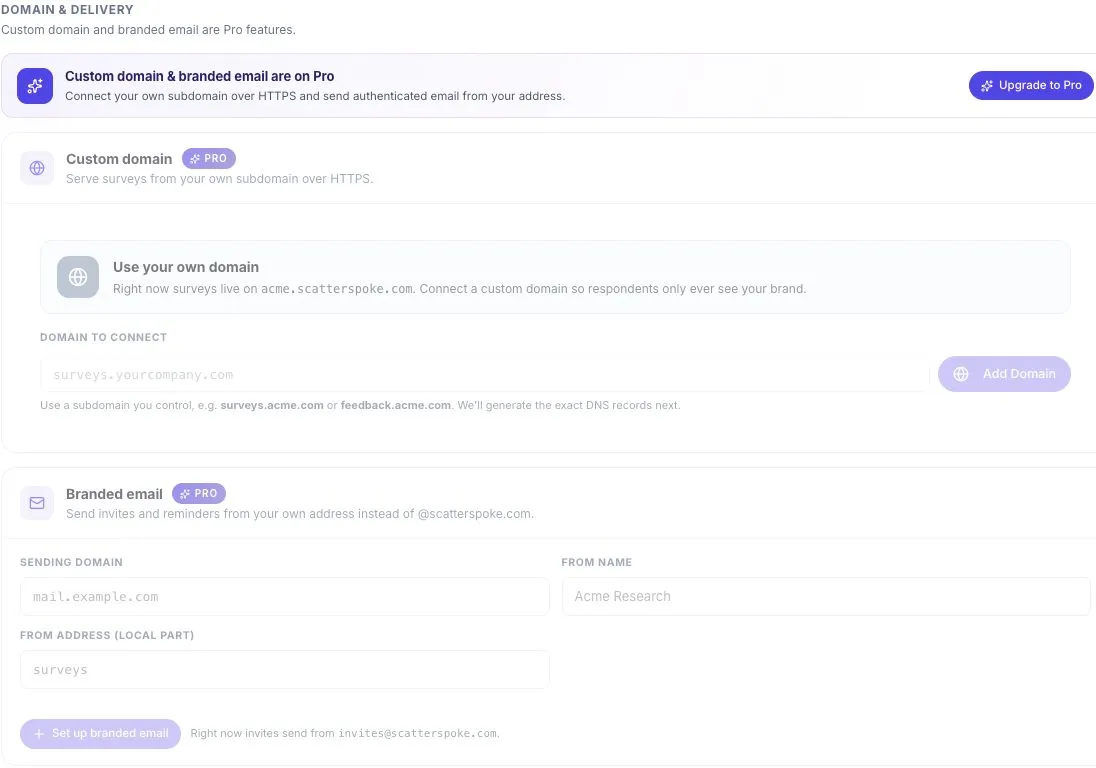
Section titled “1. Enter your sending details”Go to Settings → Branding → Branded email and fill in three fields:
| Field | Example | Limit |
|---|---|---|
| Sending domain | mail.example.com | — |
| From name | Acme Research | 60 characters |
| From address (local part) | surveys | 64 characters |
A Preview field assembles the finished sender address as you type. The part before @ is the local part. Domain and local part are saved in lowercase.
Use a subdomain dedicated to sending — mail.acme.com rather than acme.com. It lets you manage survey email separately from your main company email.
Select Set up branded email to continue.
2. Add the DNS records
Section titled “2. Add the DNS records”The card switches to the pending state and lists the email authentication records — DKIM and SPF — with the host and value for each.
Add them at your DNS provider exactly as shown.
3. Verify
Section titled “3. Verify”ScatterSpoke re-checks automatically, and Check now forces a check. Each record shows a clock while pending and a check mark once it verifies.
When the whole domain verifies, the card shows Email authentication · verified as confirmation that the DNS checks passed. Authentication helps receiving mail servers assess your messages, but it does not guarantee inbox delivery.
Status reference
Section titled “Status reference”| Status | What it means | What to do |
|---|---|---|
| Pending | Records added, not yet verified | Wait, or Check now |
| Temporary failure | A temporary problem interrupted the check | Wait, or Check now |
| Verified | Your sender address is ready | Send a test invitation to yourself |
| Failed | Authentication failed | Remove and retry |
| Expired | Authentication lapsed | Remove and retry |
Check before sending to your audience
Section titled “Check before sending to your audience”After verification, send one test invitation to yourself. Confirm the sender name, sender address, survey link, and message. Check the spam folder if it does not arrive.
If records stay pending, compare each host and value with your DNS provider. Some providers append your domain automatically; avoid entering it twice. Keep existing mail records unless your email administrator has confirmed the change.
Disconnect
Section titled “Disconnect”On a verified domain, Disconnect removes it. Invites and reminders revert to sending from @scatterspoke.com — nothing else about your distributions changes.