

Data retention
Choose how long to keep eligible feedback, understand what cleanup removes, and avoid losing history you still need.
A retention policy sets how long the workspace keeps eligible feedback messages. With no policy, the retention cleanup does not remove old feedback automatically.
Open Admin Controls and find Data Retention Policy. You need admin access.
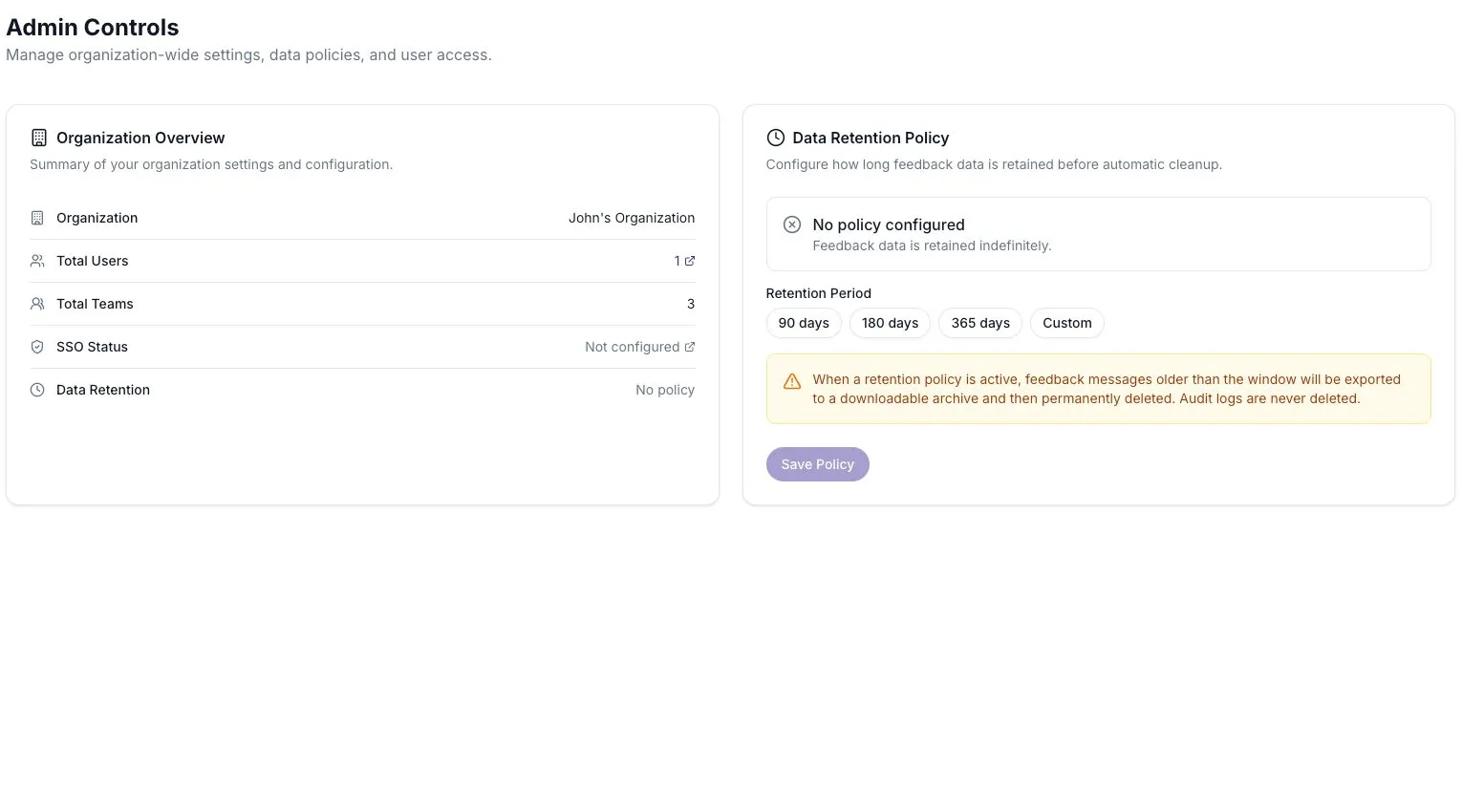
Choose a retention period
Section titled “Choose a retention period”- Decide how much feedback history your team needs.
- Select 90 days, 180 days, 365 days, or Custom.
- For a custom period, enter between 30 and 3650 days.
- Review the deletion warning, then select Save Policy.
For example, a team comparing quarterly surveys needs enough history to include both quarters. A short window may remove the underlying responses before the next comparison.
What the cleanup does
Section titled “What the cleanup does”A daily job finds messages older than the retention window in conversations that have ended. It exports those messages before deleting them.
Signal events can remain after their source messages are removed. Their references to deleted messages are cleared, so you may still see a finding without being able to open all of its original evidence.
Each cleanup records how many messages were exported and removed in the audit log.
What this policy does not remove
Section titled “What this policy does not remove”- Messages in conversations that are still active.
- Signal events themselves, although their source references can change.
- Audit log entries.
This is a policy for eligible feedback messages, not a promise that every kind of workspace data is deleted after the same number of days.
Change or remove a policy
Section titled “Change or remove a policy”Return to Data Retention Policy, choose the new period, and save. Select Remove Policy to stop future scheduled cleanup.
Removing the policy does not restore messages already deleted. If a response is missing, check whether a retention policy could have applied before treating it as a display problem.