

The Review phase
Discuss the highest-priority cards and groups together, record decisions, and keep track of the topics you have covered.
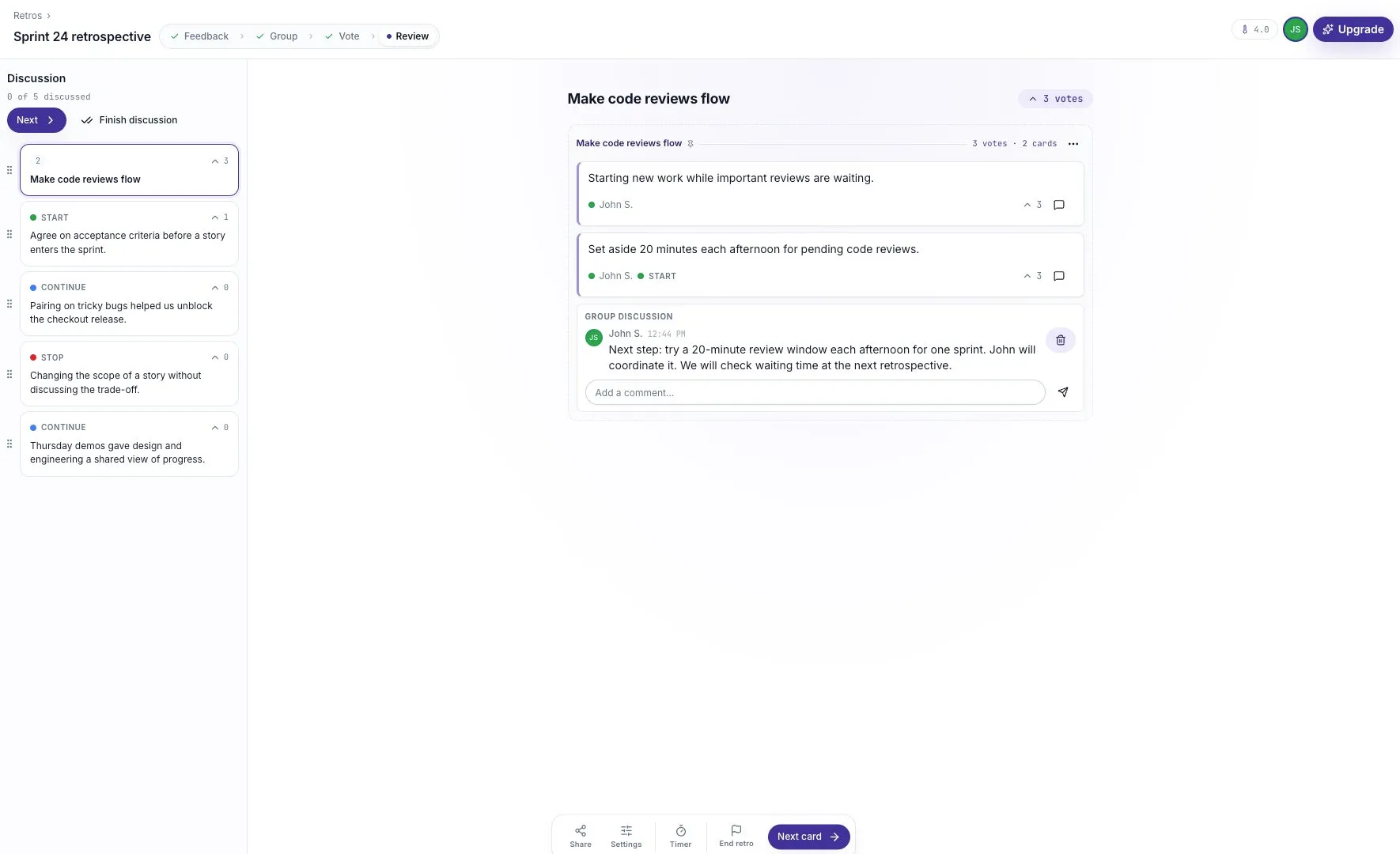
Review turns the board into a shared discussion. A list of topics appears on the left, and the current card or group appears on the discussion stage.
The facilitator chooses the topic. Everyone else follows the same stage, so the team can focus on one conversation at a time.
Start the discussion
Section titled “Start the discussion”After moving from Vote to Review, select Start discussion. The list includes groups and standalone cards, with their vote counts. If blind voting was enabled, this is when the totals become visible.
The facilitator can select a topic from the list or use Next and Next card to move through it. The discussion progress shows how many topics have been covered.
Read the original feedback
Section titled “Read the original feedback”A group title is a useful summary, but the original cards explain the details. Read them before deciding what the group means.
For example, a group called “Make code reviews flow” may include both a delay and a suggestion. Discuss whether the suggestion addresses the actual reason reviews are waiting.
Record the decision
Section titled “Record the decision”Use the card’s comments or the group discussion to write down the outcome. A useful note includes:
- What the team will try.
- Who will coordinate it.
- When the team will check whether it helped.
Example: “Try a 20-minute review window each afternoon for one sprint. John will coordinate it. Check waiting time at the next retro.”
The board does not capture a spoken conversation for you. If a decision matters, record it before moving on.
Keep the discussion focused
Section titled “Keep the discussion focused”Ask for examples before jumping to a solution. Make room for people who have not spoken. If the team cannot decide, record what needs to be learned and who will follow up.
You do not have to discuss every card. Use the available time for the topics where the team can make progress, and explain what will happen to anything left over.
Finish the session
Section titled “Finish the session”Use End retro when the conversation is finished. The confirmation explains that the board becomes read-only. The saved summary keeps the cards, votes, and comments available for follow-up.
See Closing a retro for export, reopening, and starting a fresh session with the same format.