

Signals overview
Signals are patterns ScatterSpoke's AI detects across your workspace's feedback — each one backed by the specific entries that produced it.
Signals highlight patterns in your workspace’s feedback, such as repeated blockers or concerns about a release. Use them to decide where to look more closely, then read the evidence before acting.
Open the signal pages
Section titled “Open the signal pages”The signal pages are currently reached by direct link:
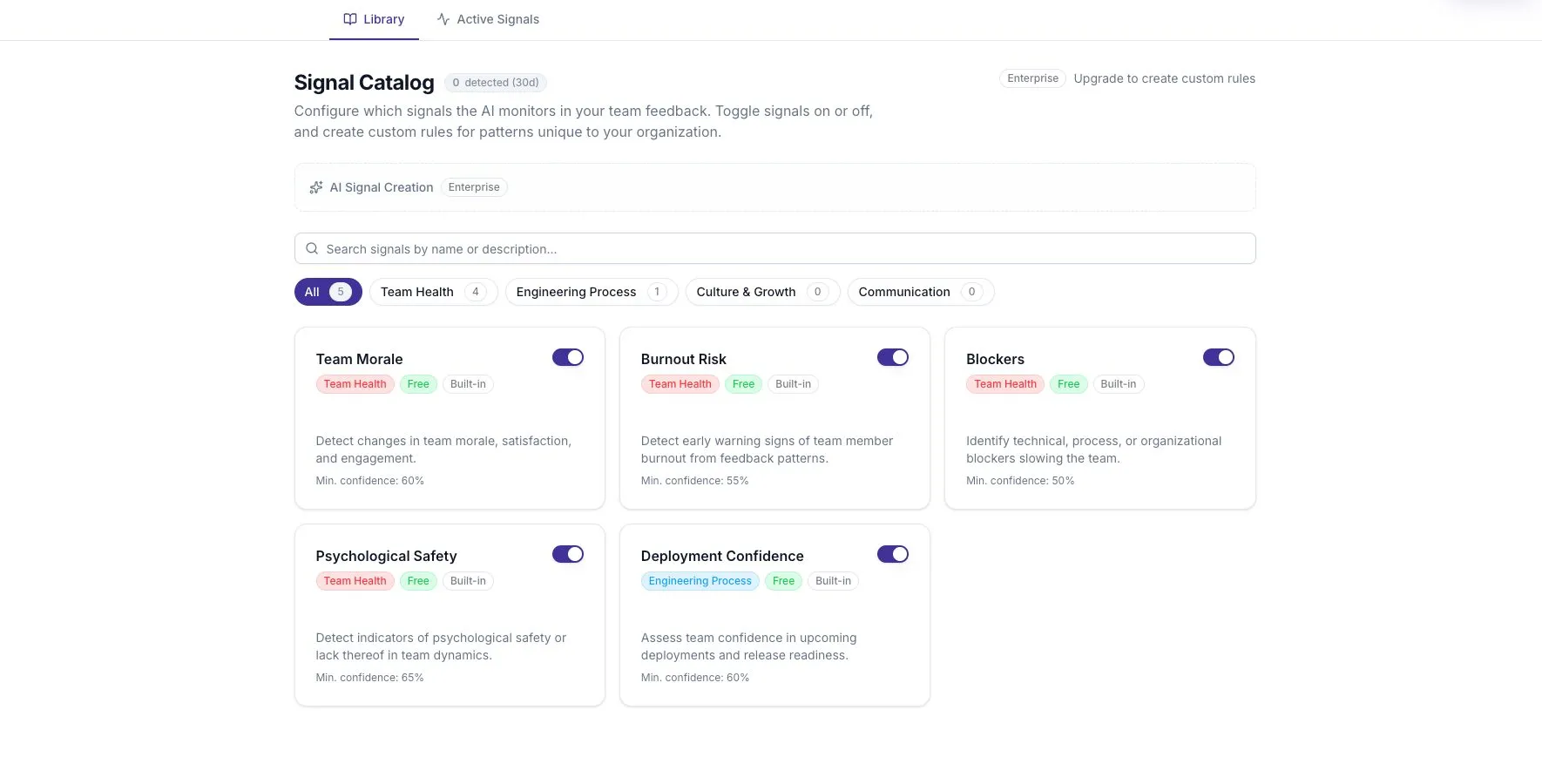
- Signal Catalog: choose which patterns to monitor.
- Signal Intelligence: review what has been detected.
Understand rules and events
Section titled “Understand rules and events”A signal rule describes a pattern to look for. For example, the Blockers rule looks for obstacles that prevent progress.
A Signal Event is a finding produced by a rule. It includes a title, confidence, severity, and links to supporting feedback. A rule may be enabled without producing any events.
Built-in rules cover common patterns. Paid capabilities can add custom rules for topics specific to your workspace.
Read the evidence first
Section titled “Read the evidence first”The detector reviews recent feedback and checks whether the source text supports a finding. This reduces unsupported detections, but it does not make the result certain.
Ask three questions when reviewing an event:
- What did people actually say?
- How much distinct feedback supports the pattern?
- Is the evidence recent and relevant to this team?
A few comments can identify a useful problem without representing the whole team. Confidence is a model score, not a survey response rate or a medical assessment.
Understand severity
Section titled “Understand severity”Severity is derived from the detection confidence:
| Confidence | Severity |
|---|---|
| 90% or higher | Critical |
| 70% to below 90% | High |
| 50% to below 70% | Medium |
| Below 50% | Low |
The label reflects confidence in the detected pattern. It does not measure the real-world seriousness of a problem. Read the content before deciding how urgently to respond.
Why the active list changes
Section titled “Why the active list changes”Detections are evaluated periodically. Repeated matches can update an existing event and increase its detection count rather than creating a new row every time.
Events that have not been detected again for seven days are archived. The active list is not a complete historical record.
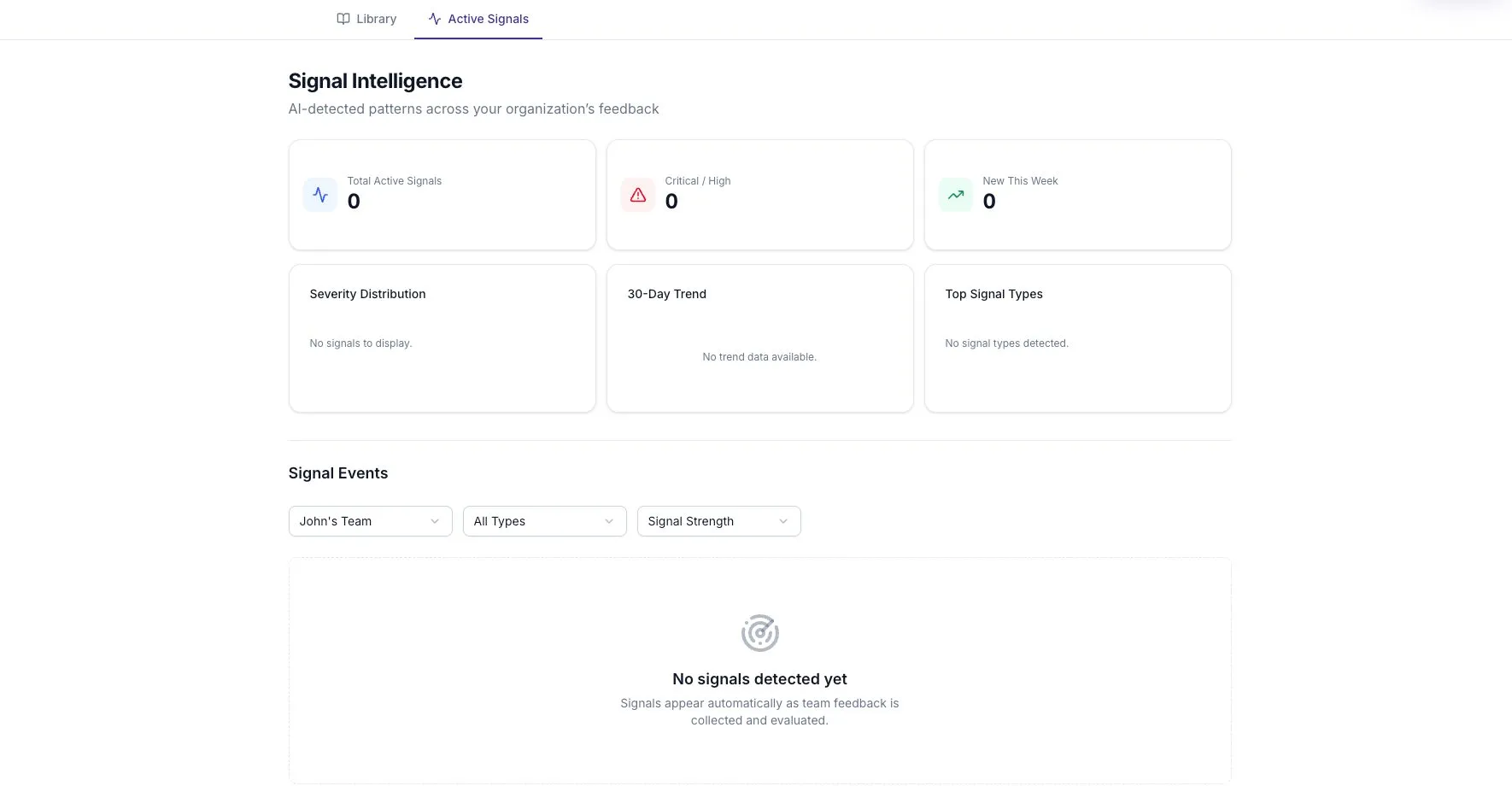
If the list is empty, check the team filter, whether relevant feedback has arrived, and which rules are enabled. Do not treat an empty list as proof that the team has no problems.
Decide what to do next
Section titled “Decide what to do next”Discuss the evidence, record an action with an owner, and return to it at an agreed date. Signal events and evidence explains the event view. Automations explains rules for responding to recurring conditions.