

From feedback to an action — a complete example
Follow a sprint retrospective from the first cards through grouping, voting, discussion, and a next step with an owner.
This example follows Sprint 24 retrospective, a fictional team session created in ScatterSpoke for this guide. The completed board contains six feedback cards, four votes, and a comment recording the next step. The example used one participant to demonstrate the controls; its numbers are not findings about a real team.
You will need a workspace and access to create a retro. The core board workflow does not require Ask. The optional Ask step uses available workspace access and usage allowance.
1. Set one purpose
Section titled “1. Set one purpose”The team wants to reduce waiting for code reviews next sprint. Create a Start / Stop / Continue board named Sprint 24 retrospective. Keep access limited to the intended audience and explain the privacy settings before sharing.
Your first retro walks through the creation and joining controls.
2. Collect specific examples
Section titled “2. Collect specific examples”During Feedback, write one observation or idea per card. Give the team quiet time to contribute before anyone argues for a solution.
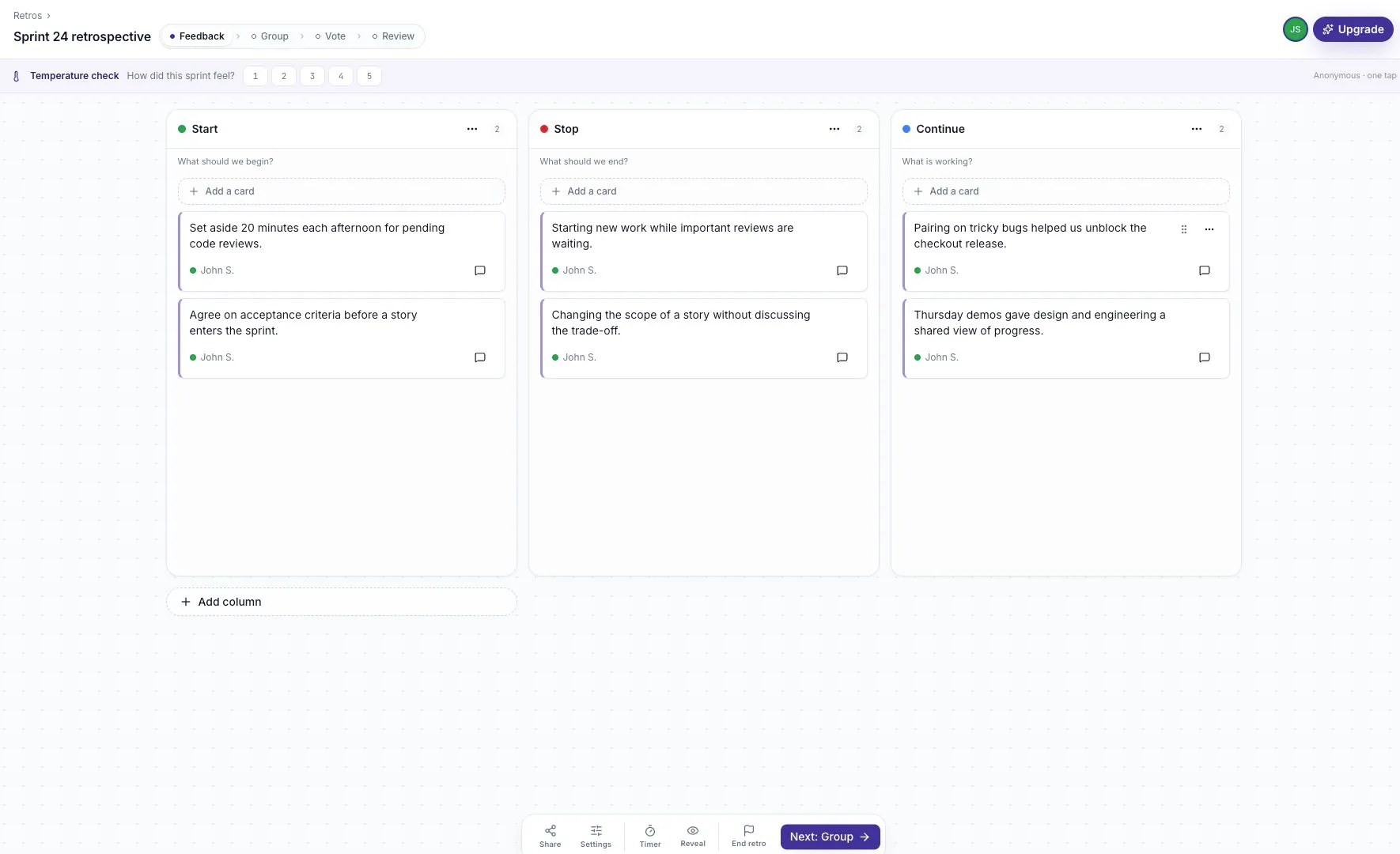
Look for both a problem and a possible improvement. Separate cards make it easier to group related ideas later.
If you are using a survey instead, create a short Static Survey, check the link and access, then read the responses. You can use the same review and action-writing process below without copying private responses into a wider-audience board.
3. Group related feedback
Section titled “3. Group related feedback”Move to Group. Put cards about the review delay and a proposed review window together. Name the group Make code reviews flow.
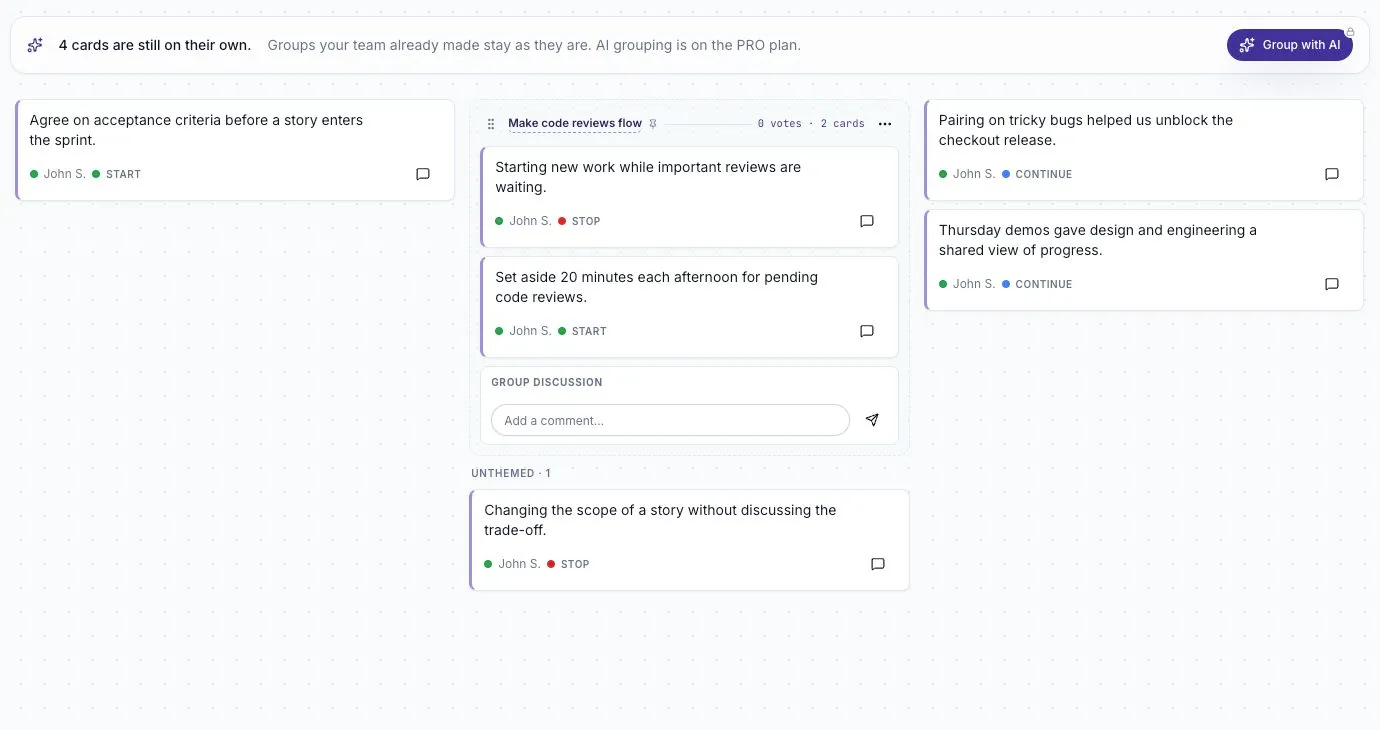
The group name summarizes the discussion topic. It does not decide the answer for the team.
Read the cards again after grouping. Two cards that mention “reviews” may describe different problems. Grouping guidance explains how to keep useful distinctions.
4. Choose the discussion order
Section titled “4. Choose the discussion order”Move to Vote. Ask participants to use their budget on the topics they most want to discuss. Blind voting keeps other people’s totals hidden until Review when enabled.
The demonstration board has four votes in total. Treat votes as a way to choose the agenda, not a measure of how severe a problem is.
5. Discuss and record one experiment
Section titled “5. Discuss and record one experiment”In Review, open the selected group and read its cards. Ask what caused the waiting, what is within the team’s control, and what change can be tried for one sprint.
Record the decision in the group’s comment thread:
Next step: try a 20-minute review window each afternoon for one sprint. John will coordinate it. We will check waiting time at the next retrospective.
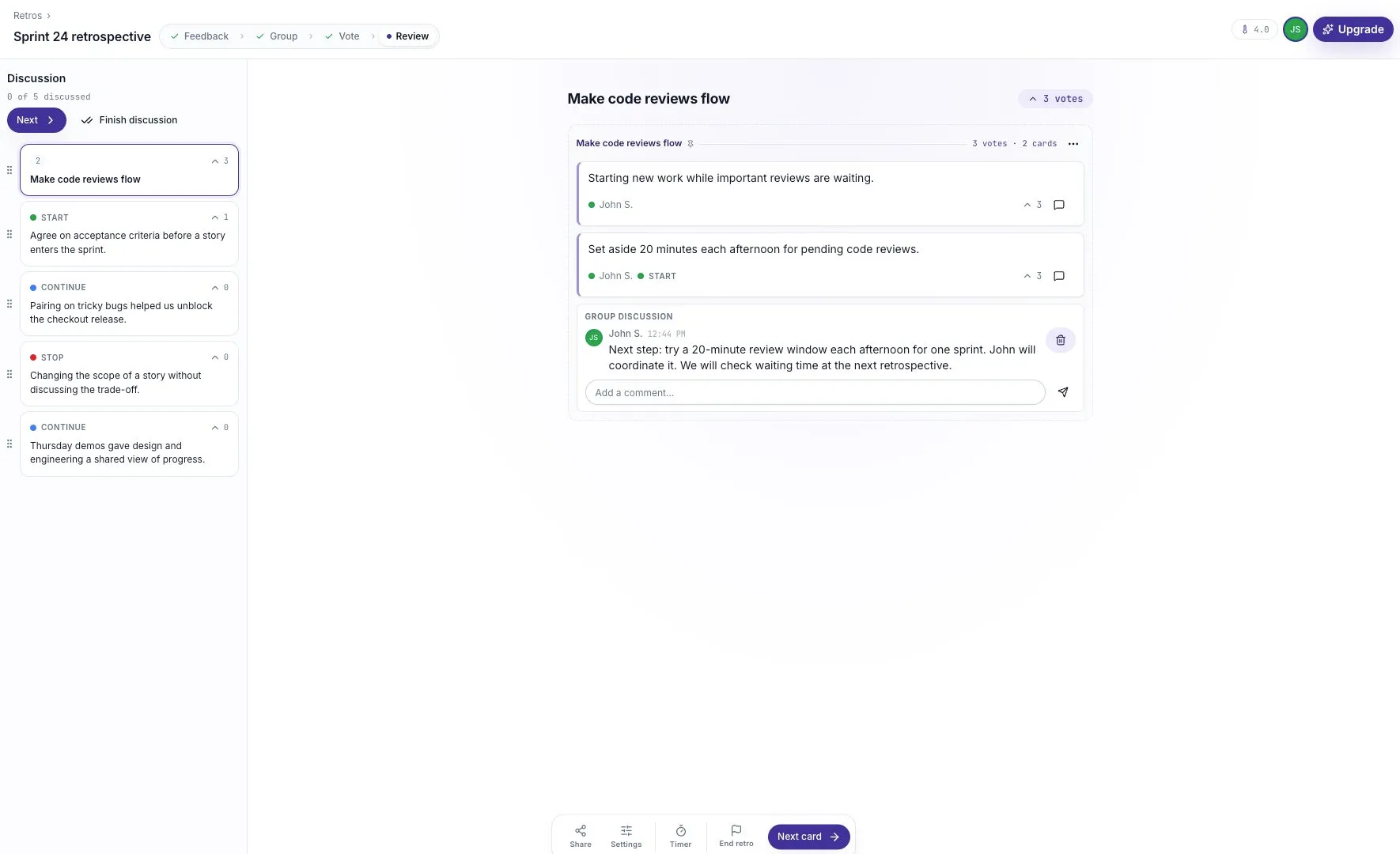
This action has a change to try, an owner, and a review point. “Improve code reviews” would leave all three unclear.
6. Close the session and check the record
Section titled “6. Close the session and check the record”End the retro when the discussion is complete. The summary shows the card, vote, and comment counts. To read the actual decision, select View the frozen board, open Make code reviews flow, and open its comment thread. Check that the action, owner, and review point are recorded there.
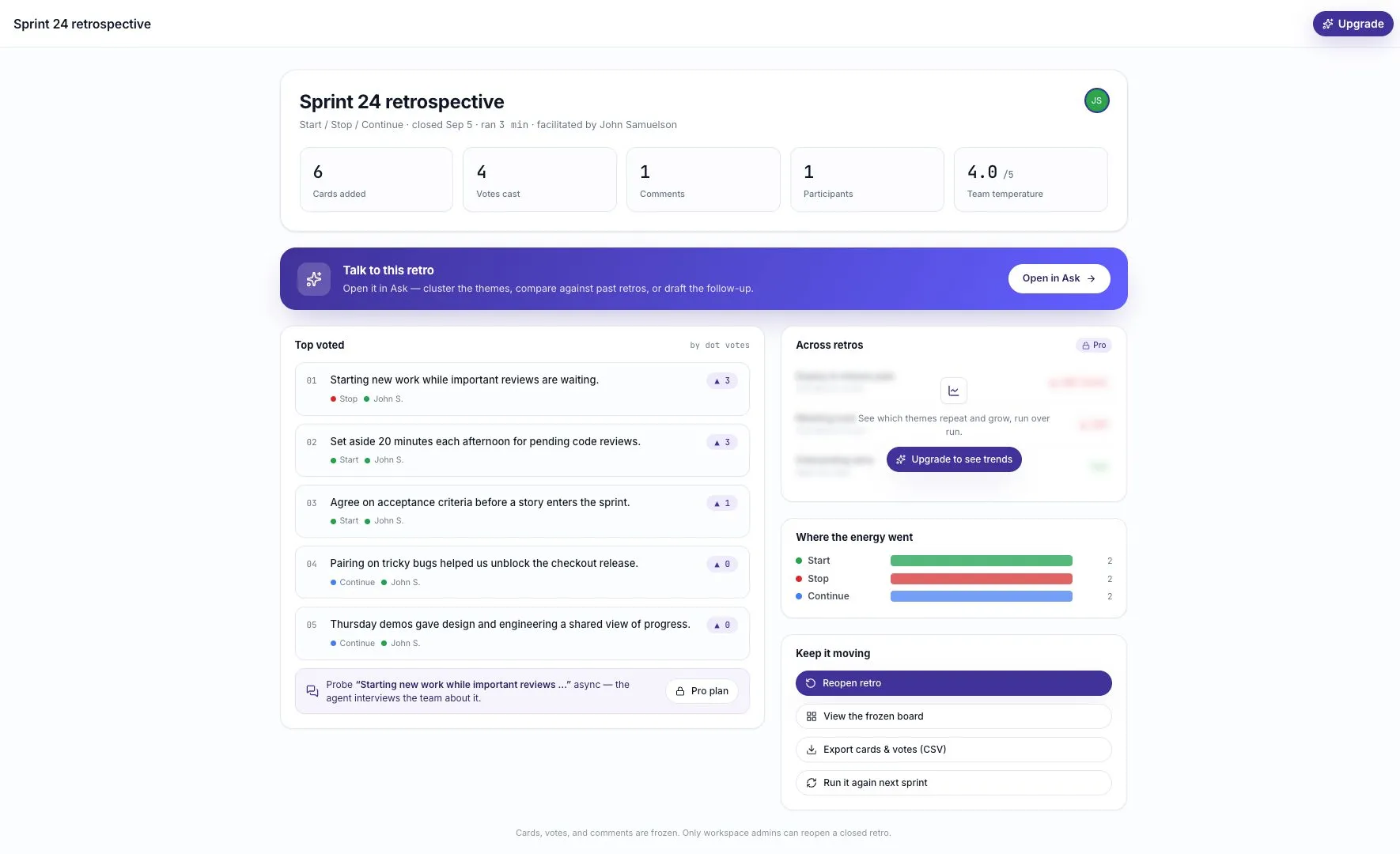
The closed board is the record of the session. Make sure your next step is understandable before people leave.
7. Explore the evidence with Ask, if useful
Section titled “7. Explore the evidence with Ask, if useful”Open Ask and choose this retro as the source. In the example, we asked:
Summarize the main themes in Sprint 24 retrospective. Use only this retro, cite the supporting feedback, and suggest one practical next step.
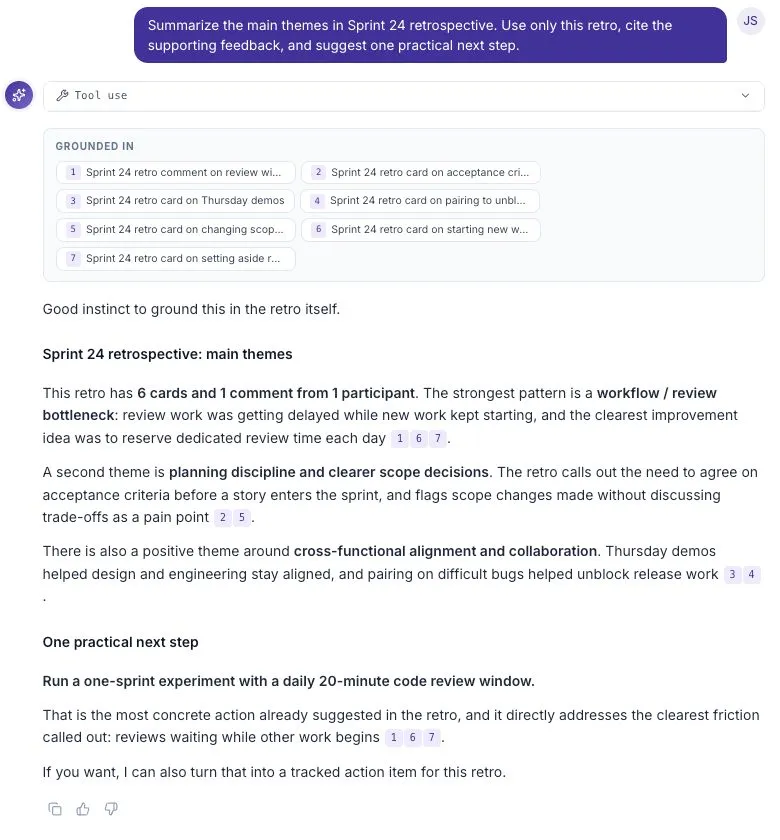
Read the cited feedback and compare the answer with the board. An AI suggestion does not replace the action the team agreed on. If Ask is unavailable, the board and comment still give you the record you need.
8. Check back next sprint
Section titled “8. Check back next sprint”Start the next session by asking whether the review window happened and whether it helped. Compare concrete examples of waiting before adding more process.
If the change did not help, discuss why and adjust it. Closing the loop means reporting what happened after the feedback, including when the first experiment did not work.
For a reusable review checklist, see Turn feedback into a next step.