

The Vote phase
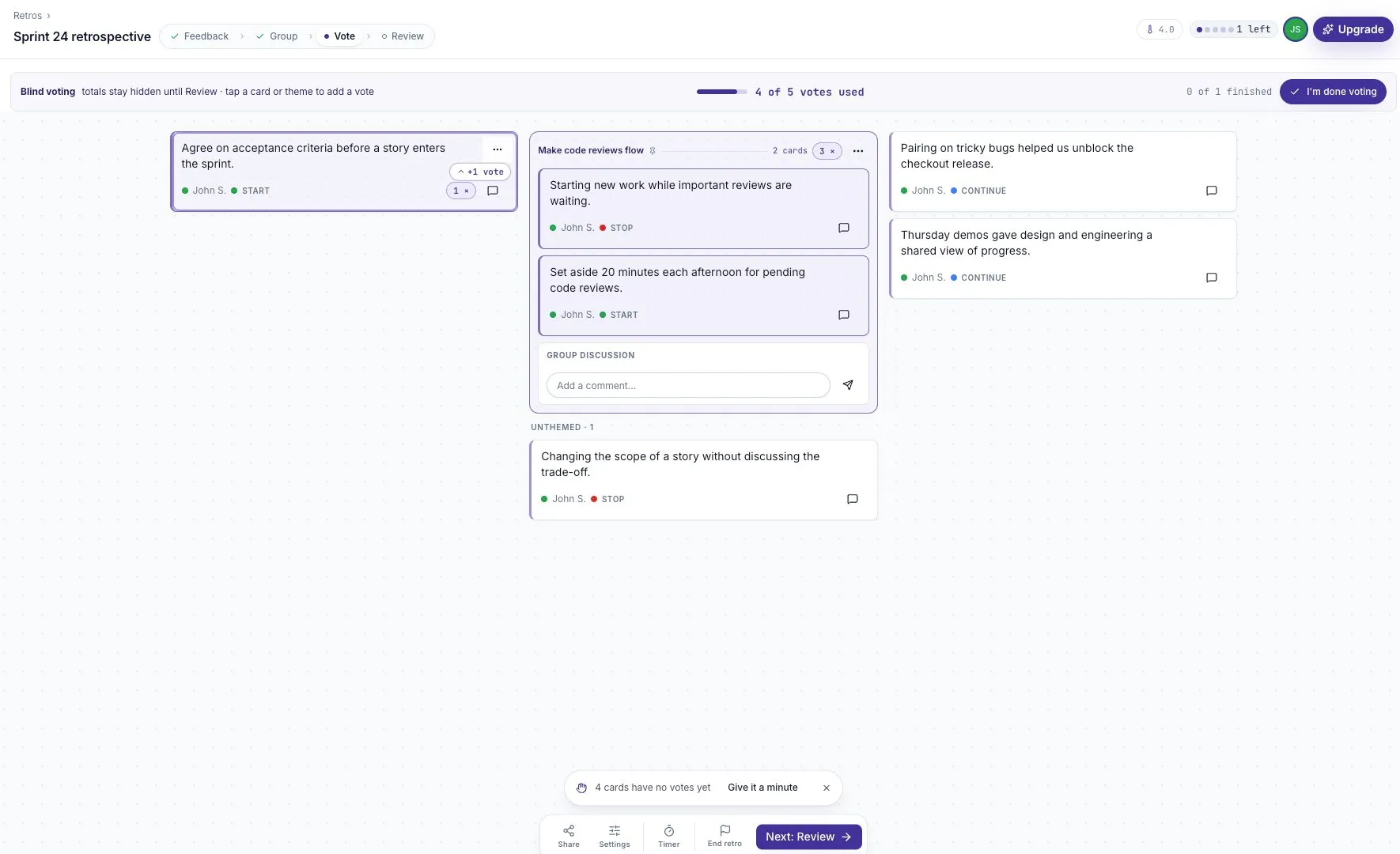
Use a shared vote budget to choose the discussion order, with blind voting to keep early votes from influencing the room.
Vote helps the team choose which topics to discuss first. It follows Group and comes before Review on a guided board.
Cards and groups can receive votes
Section titled “Cards and groups can receive votes”Participants can vote on a standalone card or on a group of related cards. A group gives one topic a shared voting target, so several versions of the same issue do not compete with each other.
The default budget is five votes per person. A participant can put more than one vote on a topic. Their remaining votes appear in the top bar, and the progress strip shows how many votes they have used.
Blind voting
Section titled “Blind voting”Blind voting is on by default for a new board. Totals stay hidden until Review so early votes do not steer the rest of the team.
This is separate from anonymous feedback. Blind voting controls when totals are shown. Anonymity controls whether author names are shown on feedback.
The facilitator can review Blind voting in Settings before the vote. Explain the choice to participants so they know why they cannot see running totals.
Finishing your vote
Section titled “Finishing your vote”Select I’m done voting when you have finished choosing. You do not have to spend every vote if the remaining topics are not relevant to you.
If you want to change a vote, use the control for taking back one of your own votes. You cannot remove someone else’s votes.
Choosing a budget
Section titled “Choosing a budget”The facilitator adjusts Votes per person in Settings. Choose the budget before voting starts and keep it simple enough that people must prioritize.
For a small board, three votes may be enough. For a larger board, group repeated feedback before increasing the budget. Too many nearly identical cards make it harder to see which topic matters most.
Changing the budget during voting can affect people who have already voted. Explain the change and check the remaining counts. See Timer and votes for the controls.
Moving to Review
Section titled “Moving to Review”The facilitator selects Next: Review and confirms Move to Review. Voting closes and the discussion view becomes available.
The ranking is a starting point for discussion. A low vote count does not prove that an issue is unimportant. The facilitator can still make space for a concern that needs attention.