

AI theme clustering
How the agent merges near-duplicate cards into named themes before the vote, what it can see, and why re-running it replaces the themes you already have.
AI grouping suggests themes for related feedback cards. Use it during Group, before people vote, so several cards about the same issue can be discussed together.
Manual grouping works on every plan. Group with AI requires a paid plan with retro AI access.
Group the board
Section titled “Group the board”- Finish collecting feedback and move to Group.
- Read the cards together and make any obvious manual groups.
- Select Group with AI, where available.
- Review the suggested groups before moving to Vote.
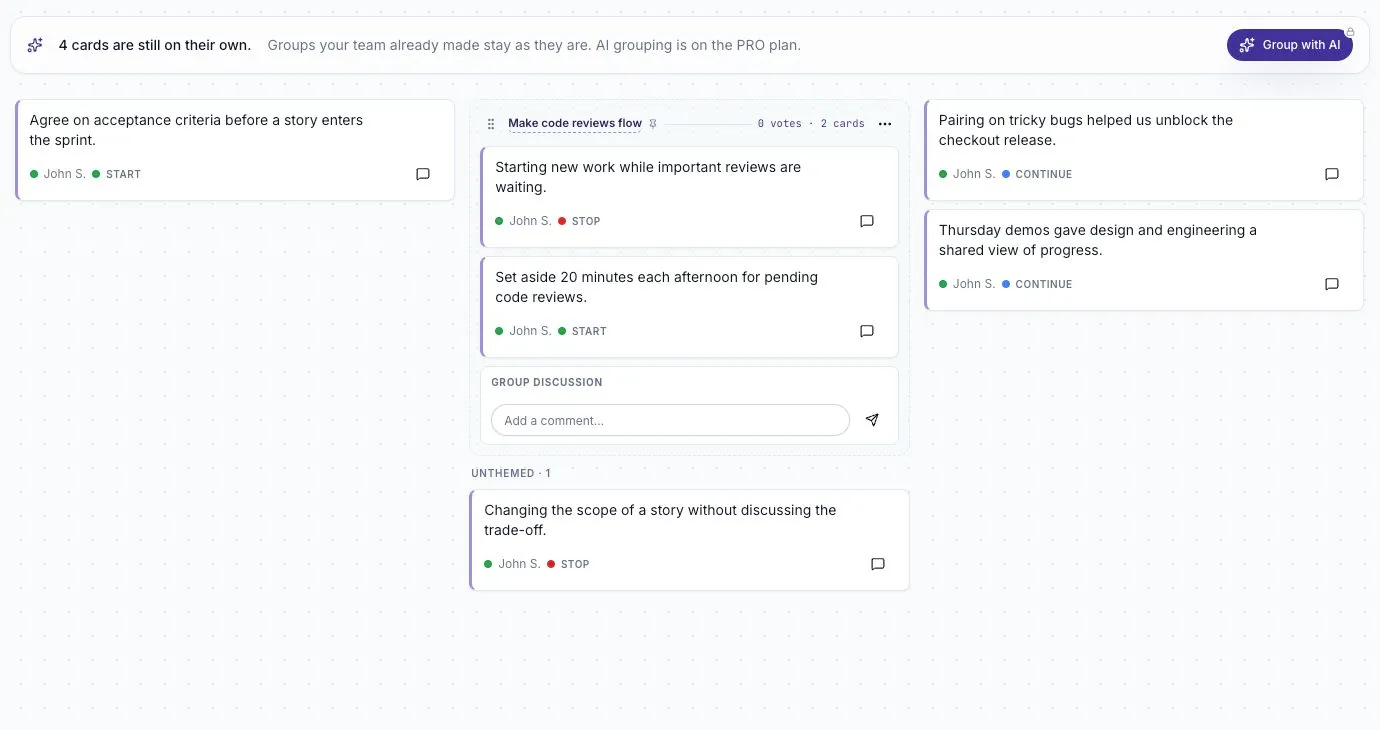
The AI works from card text and column context. It does not rewrite the original cards. Feedback that does not fit a shared theme can stay on its own.
Review the result
Section titled “Review the result”Check that each group describes one issue. Two cards can mention the same tool while describing different problems; keep them separate if combining them would hide that distinction.
Give each group a clear name. For example, Make code reviews flow is more useful than Process because people can tell what they are voting on.
If you prefer to organize the board yourself, drag one card onto another. See Group related feedback for the manual steps.
Understand pinned groups
Section titled “Understand pinned groups”Manual groups are marked as pinned and protected from AI clustering. The AI can work on the remaining cards without replacing the groups you deliberately made.
If you rerun AI grouping, read the confirmation about which generated themes may be replaced. Do not assume that every kind of existing theme has the same protection, especially on a migrated board.
If grouping is unavailable
Section titled “If grouping is unavailable”- Check that you are the facilitator on a guided board.
- Check the board’s Theme clustering agent option.
- Check the workspace plan if you see a lock or upgrade prompt.
- Use manual grouping if you need to continue the session.
If no useful group is returned, read the cards and group only the ones that belong together. A board does not need a theme for every card.
Use themes after the session
Section titled “Use themes after the session”Themes can help you review what kept coming up and choose a follow-up question. Open the closed retro in Ask to explore its feedback, or use the paid follow-up options where available.
A theme is a label for feedback. Check the underlying cards before treating it as an agreed team conclusion.