

Check a survey before you share it
A short checklist for questions, privacy, access, and distribution before launching a survey.
A few minutes of review can prevent a confusing survey and a second round of messages. Use this checklist before publishing and sharing.
Make the purpose clear
Section titled “Make the purpose clear”Write one sentence explaining what you want to learn and what you will do with the answers. Put that context in the survey introduction.
For example: “Tell us what slowed down this sprint so we can choose one improvement for the next one.”
Check the questions
Section titled “Check the questions”- Ask about one thing at a time.
- Use a clear time period, such as “this sprint.”
- Explain the ends of a rating scale.
- Make a question required only when you need an answer from everyone.
- Remove questions that will not affect a decision.
For more examples, see write useful survey questions.
Check access and privacy
Section titled “Check access and privacy”Confirm the audience, whether email verification is required, and whether anonymous responses are enabled. Tell participants what to expect before asking them to respond.
Do not put real participant addresses or private feedback in screenshots, public guides, or example messages.
Review before publishing
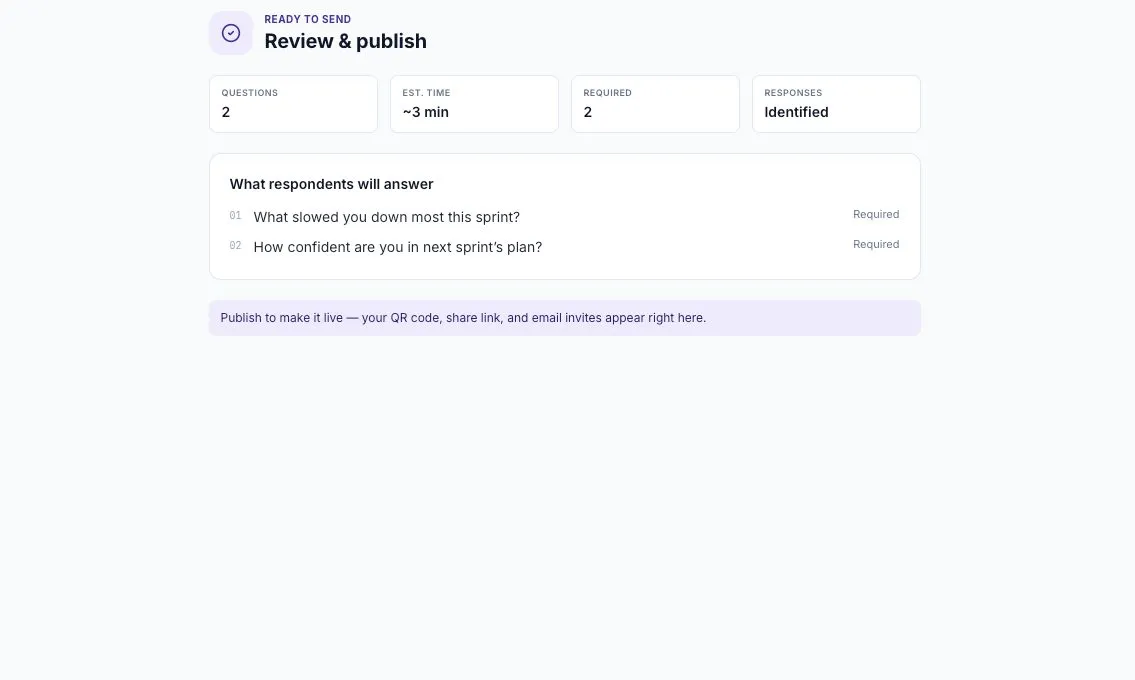
Section titled “Review before publishing”Read each question and setting on the review step. Published Static Survey questions are locked. To change the question set later, duplicate the survey and edit the new draft.
Test the link
Section titled “Test the link”After publishing, open the share link and check the welcome page. Complete the verification and response flow with an approved test participant before inviting a large audience.
A share link being created does not mean anyone has received it. Choose your distribution method and check its recipient list before sending.
Plan the follow-up
Section titled “Plan the follow-up”Decide when you will review responses and tell participants what you learned. Give the team a clear next step, an owner, and a date to review progress.