

The participant experience
See what people encounter when they open a survey link, verify their email, answer questions, and submit feedback.
Participants answer surveys through a link. They do not need a paid seat or access to your workspace.
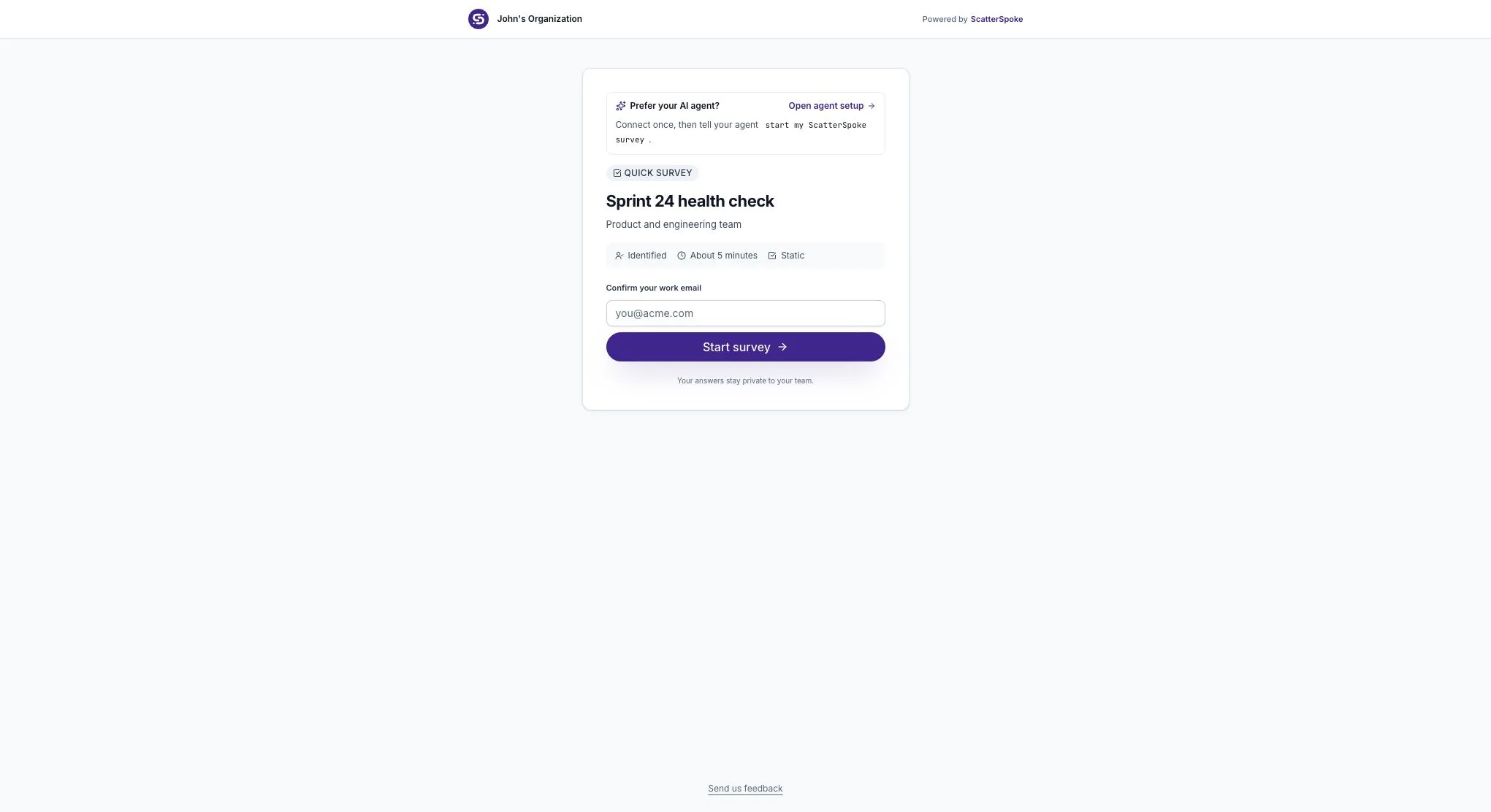
Open the survey
Section titled “Open the survey”The welcome page introduces the survey before the first question. A participant may need to verify their email address before continuing. This is separate from signing in to the workspace app.
Before sharing widely, open the link yourself and check the title, instructions, and access requirements. Use the pre-send checklist to catch confusing wording or missing context.
Verify an email address
Section titled “Verify an email address”When verification is required:
- Enter an email address and choose Start survey.
- Open the ScatterSpoke verification email in that inbox.
- Follow the verification link to continue.
If the message does not arrive, check the address you entered and the spam folder. Use the newest verification message if you requested another one. A remembered participant session may let someone continue without repeating this step.
Verification confirms control of an email address. It does not give the participant access to your workspace. Read participant verification for its limits.
Answer the questions
Section titled “Answer the questions”A Static Survey follows the questions the creator wrote. An Agent Survey feels more like a conversation: Spoke asks questions and may follow up on an answer.
Participants should answer in their own words. If a question asks about a problem, a specific example usually helps more than a broad rating alone.
Submit and confirm
Section titled “Submit and confirm”Complete the required questions and use the final submission control. Wait for confirmation before closing the page. If a question is flagged, review its required answer or format and try again.
An open tab, a verified email, or an unfinished conversation does not by itself mean your feedback was submitted. At the end of the response flow, you can save a copy of your own transcript.
Return or revise
Section titled “Return or revise”Keep the original survey link if you need to return. An unfinished response can resume through the same distribution and browser session; an emailed return link may require verification.
Submitted responses have an edit window, normally 24 hours after submission. A revision replaces the current answer rather than adding a second response. Once that window ends, the response cannot be revised through the normal edit flow.
If you cannot continue
Section titled “If you cannot continue”| What you see | What to try |
|---|---|
| Verification email does not arrive | Check the address and spam folder. Open the newest message if you requested another one. |
| Link expired or survey closed | Ask the survey organizer for current access. Reloading an expired link does not renew it. |
| Already responded | Check whether editing is offered. Use the same browser and original link rather than starting a second response. |
| Required answer is missing | Return to the highlighted question and complete it before submitting. |
If you contact the organizer, include the survey title and the exact error message. You do not need to send your answers or verification link to explain an access problem.
Explain privacy before sharing
Section titled “Explain privacy before sharing”Check the survey’s actual Anonymous responses setting before telling people their answers are anonymous. Anonymous collection is a paid option; the Free example shown here requires verification.
Do not promise anonymity simply because a participant does not need a workspace account. Also ask people to avoid naming coworkers or including private information in open-text answers.