

What is ScatterSpoke
Collect feedback with surveys and retrospectives, explore it with Ask, and choose a useful next step.
ScatterSpoke helps your team collect feedback, understand what people are saying, and decide what to improve. You can send a survey, run a team retrospective, and use Ask to explore the feedback you collect.
Choose how to collect feedback
Section titled “Choose how to collect feedback”| Tool | Use it for | Example |
|---|---|---|
| Static Survey | A fixed set of questions that everyone answers | A three-minute sprint health check |
| Agent Survey | A conversation that follows up on each person’s answers | Understand why code reviews are taking longer |
| Retrospective | A team session to share, group, vote on, and discuss feedback | Agree on one improvement for the next sprint |
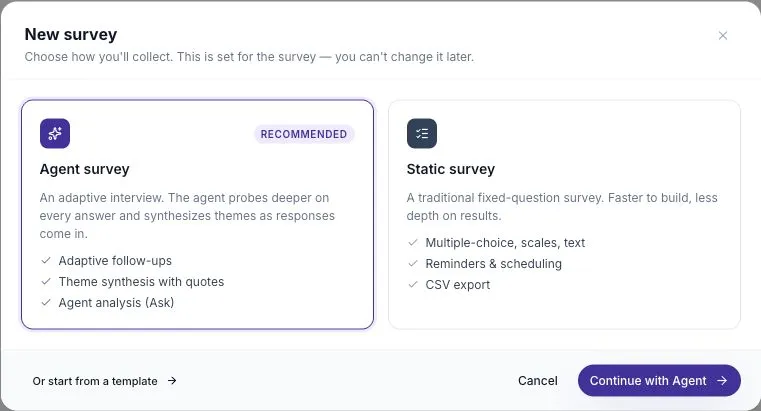
Static Surveys are unlimited on every plan. Agent Surveys use the workspace’s allowance or available credits. Some options, such as anonymous survey responses and AI retro features, depend on your plan.
Turn answers into a next step
Section titled “Turn answers into a next step”Open individual responses and transcripts to read what people said. Use Ask to summarize selected feedback, compare themes, or look for examples.
Ask answers can include source citations. Check those sources before making a decision, especially when only a few people responded. A theme is a starting point for a conversation, not proof that everyone feels the same way.
For example, a retrospective might reveal that reviews sit waiting for a day. The team can try a daily review window for one sprint, then ask whether it helped.
Invite the right people
Section titled “Invite the right people”Seat Holders enter the workspace to build surveys, facilitate retros, or review results. Participants answer surveys without taking a paid seat. A person can be both.
That means five colleagues can manage a survey for hundreds of participants. Survey participation does not automatically give someone access to the workspace.
Start with one useful question
Section titled “Start with one useful question”Pick a decision your team needs to make. Collect just enough feedback to help with that decision, review the evidence, and tell participants what you will do next.
Follow How to use ScatterSpoke for the full workflow, or start with your first survey or your first retro.