

Retrospectives overview
A retro in ScatterSpoke is a live board built from a format, run either through four guided phases or as an open whiteboard, and closed into a permanent summary.
A retrospective gives your team a shared place to reflect on work and choose an improvement. People add cards, group related ideas, vote on priorities, and discuss what to try next.
When the session ends, the board becomes a read-only record with a summary and export.
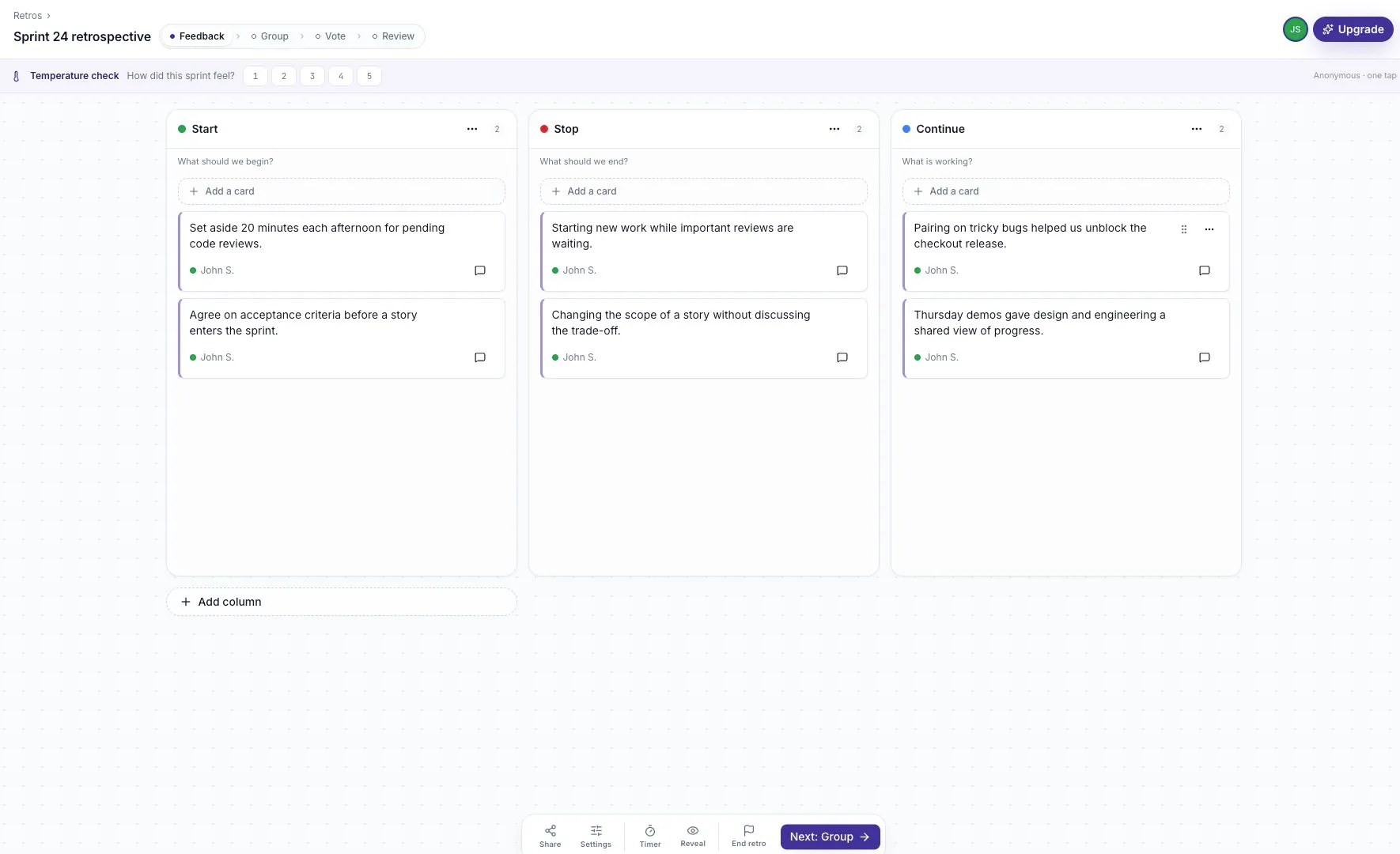
Choose a format
Section titled “Choose a format”A format supplies the starting columns and prompts. Start / Stop / Continue is a useful first choice. Sailboat, 4 Ls, and the other retro formats offer different ways to reflect.
Write one idea per card. Related cards can become a manually named group on every plan, or an AI-suggested group where retro AI is available.
Use the four guided phases
Section titled “Use the four guided phases”| Phase | What the team does |
|---|---|
| Feedback | Write concrete examples and ideas |
| Group | Bring related cards together and name the shared topic |
| Vote | Choose which topics deserve discussion first |
| Review | Discuss the feedback and record next steps |
Guided is the default run style. The facilitator moves everyone through the phases together. Blind voting is on by default, so vote totals appear in Review.
Live is an open board without guided phases. People can add cards and vote throughout. It can work for feedback collected over several days.
Set access and privacy
Section titled “Set access and privacy”The board creator is its facilitator and gets the dock for phase changes, timers, settings, sharing, and ending the retro.
Participants can be workspace or team members, or guests if the board allows them. A paid seat is not required just to participate. Read Inviting participants and guest links before sharing.
Two settings shape feedback collection:
- Private until reveal gives people time to write before reading other cards.
- Anonymous hides author names on feedback.
Explain these settings before writing starts. Private feedback and anonymity covers their limits.
Close the session with an action
Section titled “Close the session with an action”Record a small next step in the relevant comment thread, including an owner and a review date. End the retro to freeze the board and open its summary.
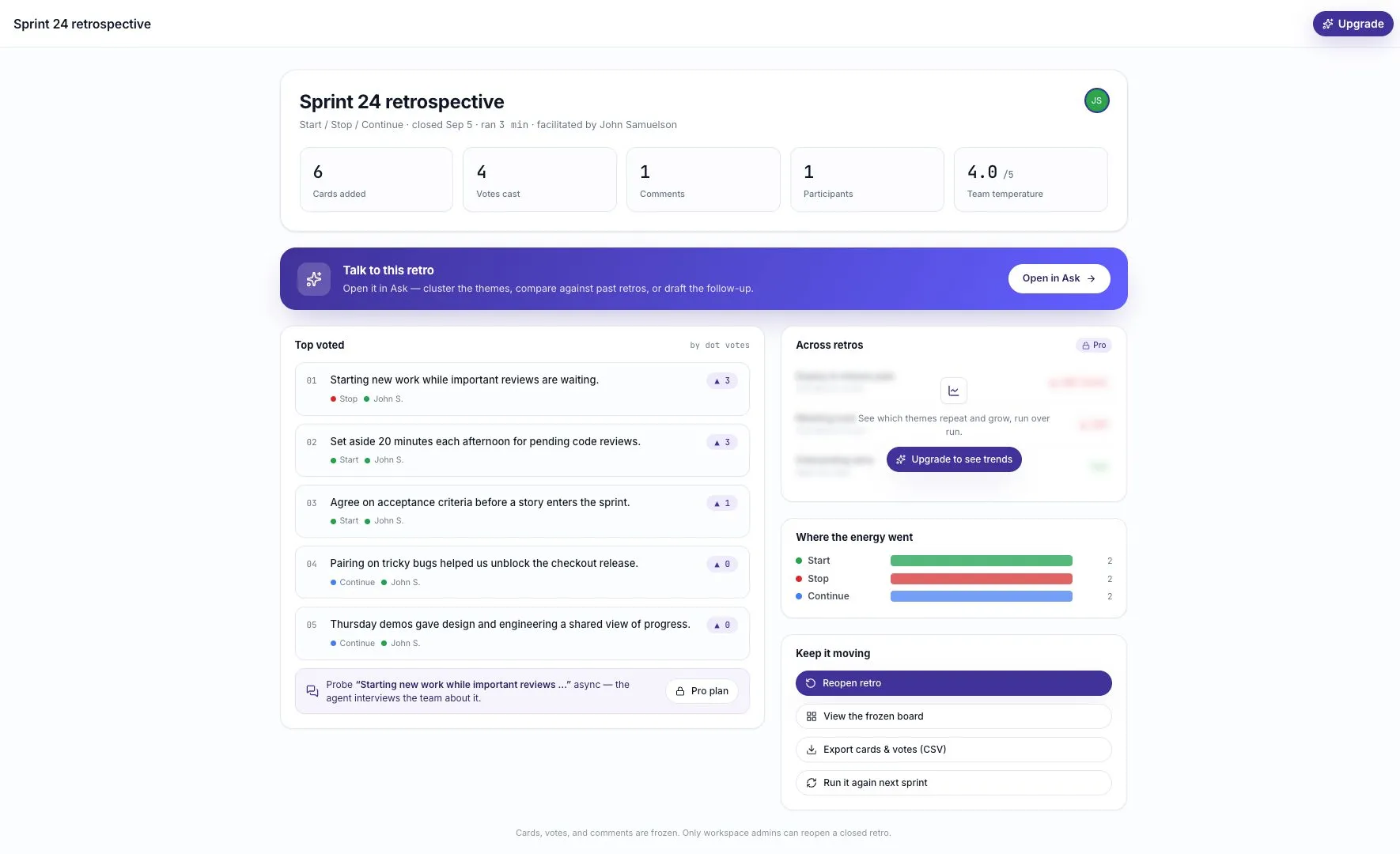
You can export the cards and votes, open the frozen board, or start another retro from the format. Workspace admins can reopen a closed session.
Start here
Section titled “Start here”Follow Your first retro for a complete example. Use Running a retro for facilitator controls and Retrospective best practices for a more useful team conversation.