

Share a survey
Share a published survey with a link, QR code, email invitation, or embed, and check the settings that control access.
After you publish a survey, the Send step becomes the place to share it. Choose a method based on where your participants will see the invitation.
Before sharing
Section titled “Before sharing”Check the survey name, questions, time estimate, and identity settings. Decide when you want answers back and explain how you will use the feedback. Publishing the survey makes it available; it does not send an email by itself.
Share a link or QR code
Section titled “Share a link or QR code”- Open the published survey’s Send step.
- Select Link & QR.
- Select Copy beside the share link.
- Share the link through the channel your team uses.
The QR code opens the same survey. It works well on a workshop slide or a printed handout when people are using phones.
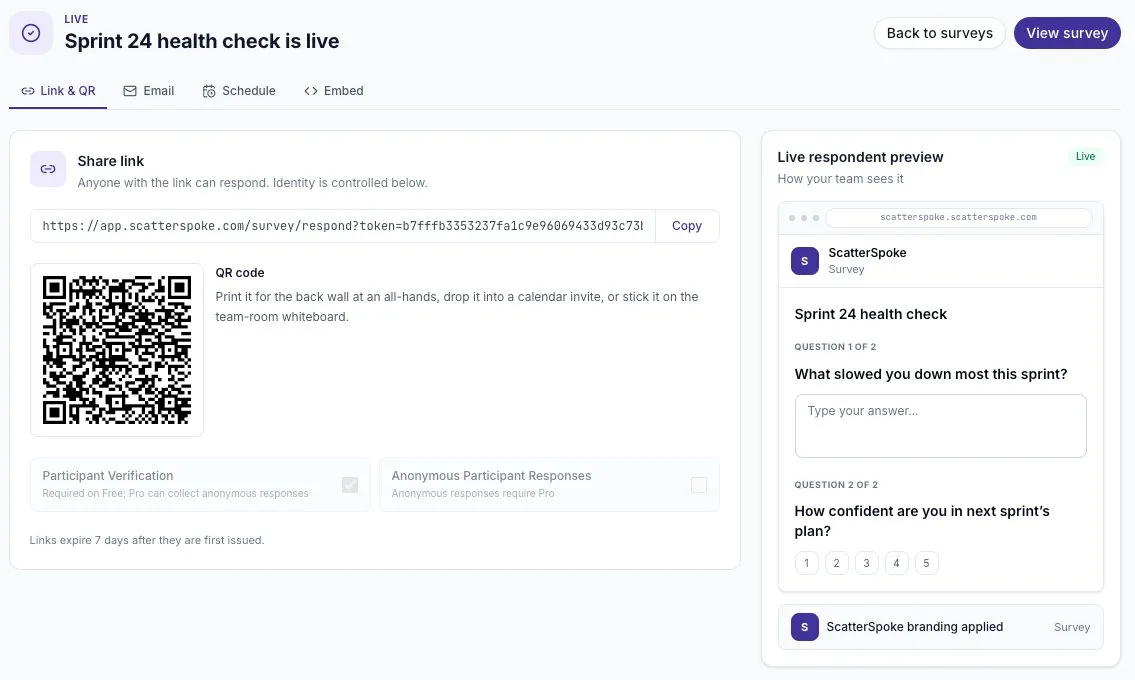
The preview on the right shows the survey title and questions participants will see.
The audience description you entered during setup does not restrict who can open the link. Review Identity & access to understand whether verification is required and whether anonymous responses are available.
Send email invitations
Section titled “Send email invitations”- Select the Email tab.
- Add the intended recipients.
- Enter a clear Subject and a short Message.
- Check the recipients and timing before selecting Send invites.
The app sends each recipient an invitation with a unique response link. A useful message says what the survey covers, how long it takes, and when you plan to discuss the results.
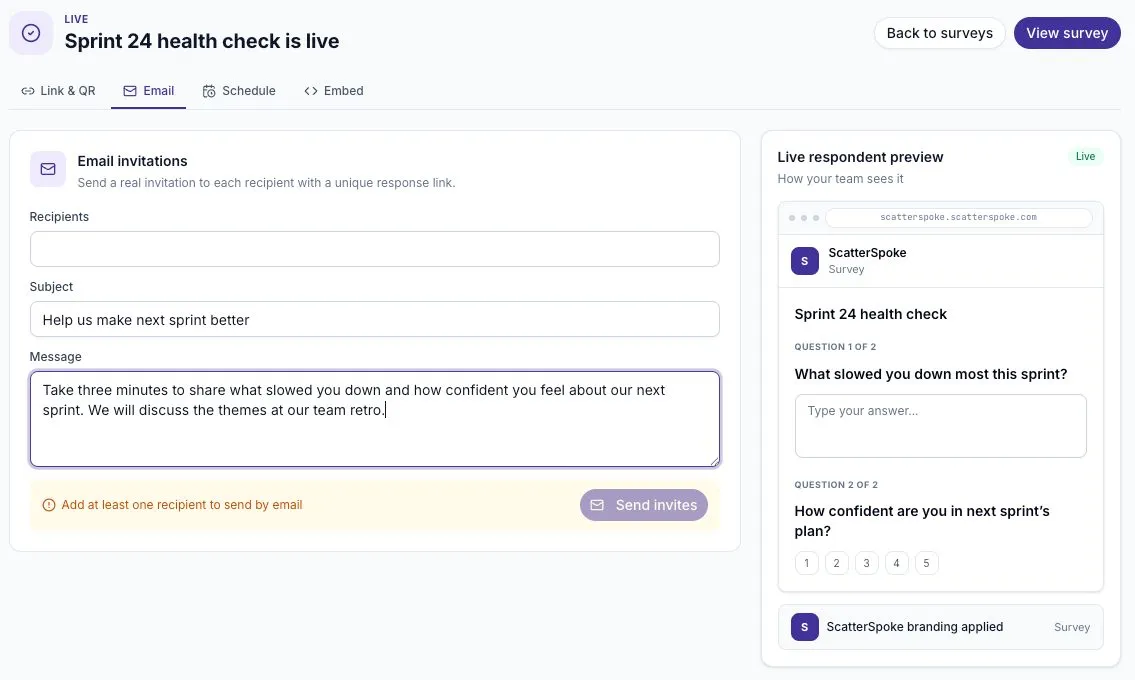
This example has no recipients and has not been sent.
Review timing and reminders
Section titled “Review timing and reminders”Open Schedule to choose between Send now and Schedule, and review the reminder cadence. The available reminder choices are 1d, 3d, 5d, 7d, and Off.
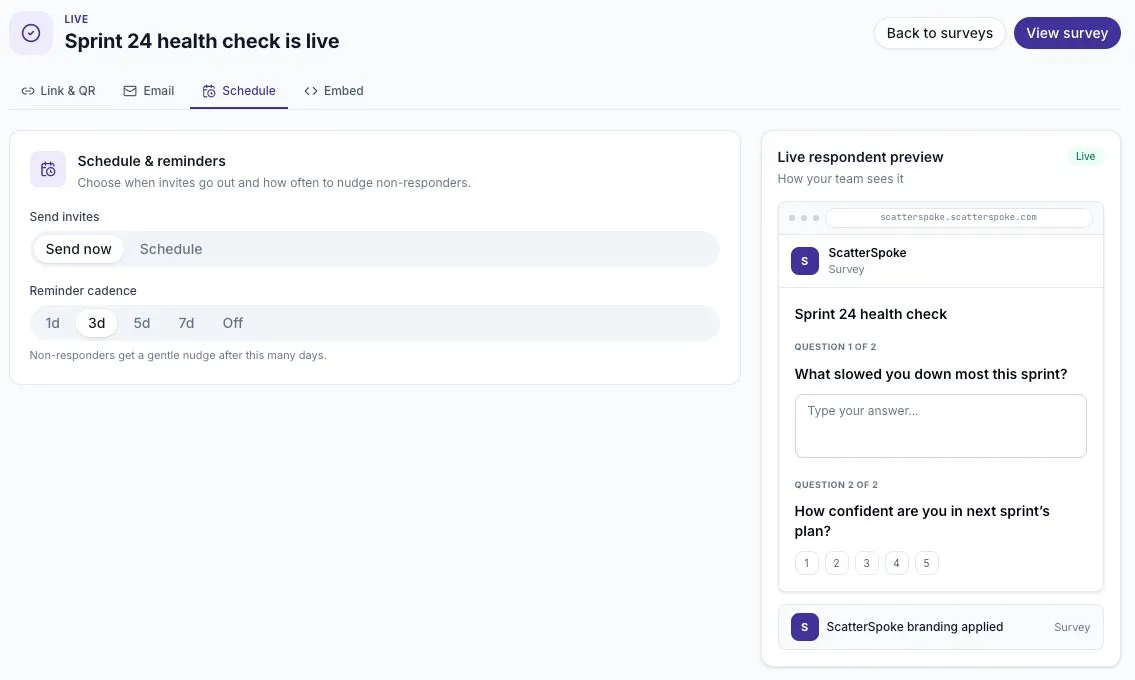
Reminders are for people who have not responded. Allow enough time for the team to read the invitation before nudging them. Check the selected timing before sending invitations.
Embed a survey
Section titled “Embed a survey”- Open Embed.
- Select Copy embed code.
- Add the code to a page that allows an iframe.
- Open the page and check that the survey is readable and usable.
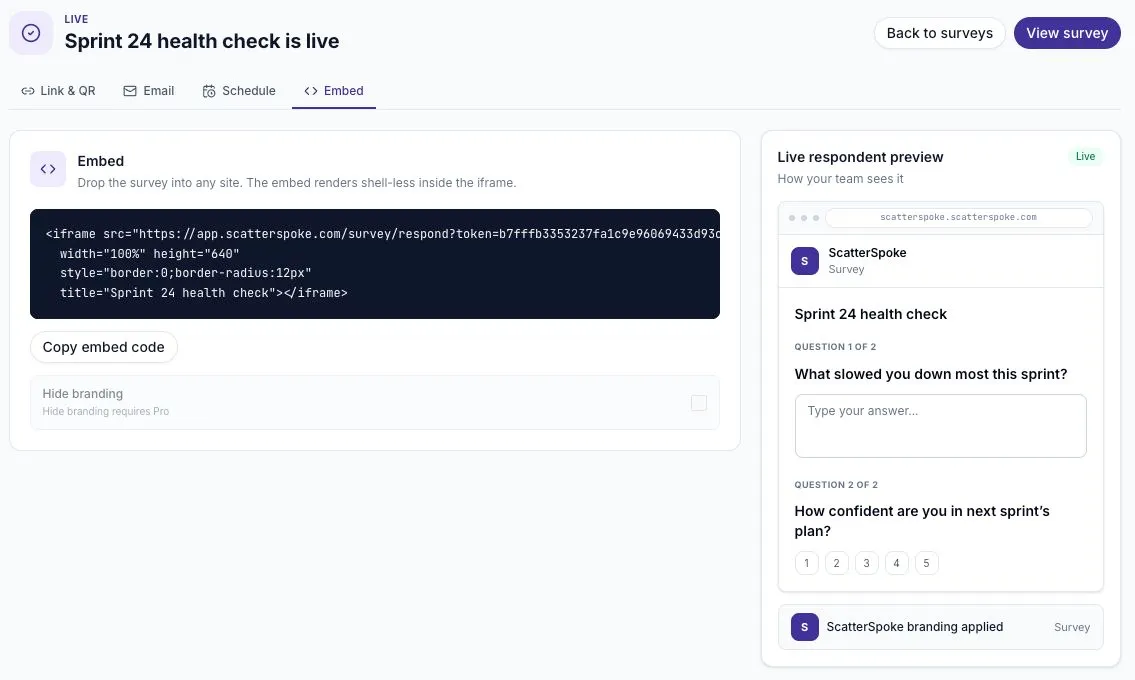
The embed displays the survey without the app navigation. Hide branding may require a paid plan. If your website editor removes the iframe, use a normal survey link or ask the person who manages the site to add the embed.
Understand expiration
Section titled “Understand expiration”There are three separate limits to check:
| Limit | What it affects | What to do |
|---|---|---|
| Survey state | A closed or archived survey stops collection for everyone. | Check the survey’s state before investigating an individual link. |
| Link expiration | An issued share link or recipient link has an expiration date. The default is seven days from issue. | Open Survey settings in the results-page header, then check Distribution. |
| Response edit window | A submitted response can normally be revised for 24 hours after submission. | Participants should use their original link and check whether editing is still available. |
A reusable share link can serve several people. “Reusable” does not mean it never expires. Participant access created through it and the entry link itself are checked separately; opening an old link does not restart its clock.
To change the default for new links, open the survey’s results page, select the Survey settings gear in the header, and find Distribution in the dialog. Then enter Default expiration days, and select Save expiration. The range is 1–365 days. This does not extend links already issued. Copying the existing link again does not renew it.
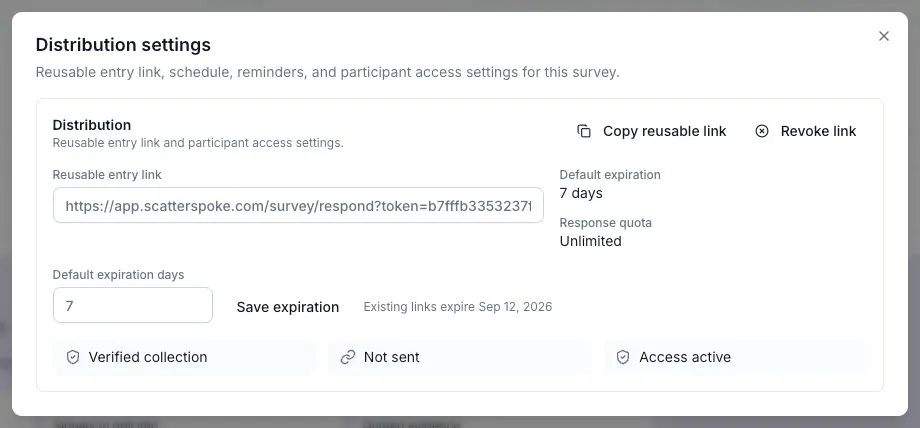
Open the gear in the results-page header to reach these controls. Copying an existing link does not extend its expiration.
If a reusable link has expired
Section titled “If a reusable link has expired”Copying the same link does not renew it. Changing Default expiration days only applies to newly issued links.
If you need to keep collecting into the same survey, contact support with the survey name. The current settings dialog does not offer a reliable renew-link action: after its last reusable link is revoked, Copy reusable link can be disabled.
For an urgent collection that can use a new survey:
- Duplicate the survey to create a new draft.
- Review its questions and collection settings, then publish it.
- Check the new link’s displayed expiration and choose a collection deadline it covers. If you need a longer window and the link was already issued, contact support before sharing it.
- Open the new link and verify that participants can start, then share it with the audience.
- Keep the original survey for its existing responses. Answers are not moved into the duplicate; review the two sets separately.
Use Revoke link when you intend to stop access through that link, then confirm Revoke. It does not delete submitted responses. Do not revoke a working link merely to try to extend it.
Before distributing invitations, check that the issued link covers your collection period. A two-week collection period needs more than the seven-day default. Updating defaults does not extend an existing link, so resolve that mismatch before inviting people.
If someone cannot respond
Section titled “If someone cannot respond”- Confirm they are using the link for the intended survey.
- Check whether the survey is still accepting responses.
- Check whether their access has expired.
- If verification is required, have them complete the verification step.
- If the survey uses a response quota, check whether the quota has been reached.
A quota counts submitted responses, not people who merely open the survey. See The participant experience for more about answering, resuming, and editing.