

Recurring survey series
Run the same survey on a schedule so themes can be compared across runs rather than read once.
Use a Recurring Survey Series when you want to ask the same audience about the same topic over time, such as a monthly team health check.
A repeatable schedule helps you compare runs. It also creates a responsibility: review each round and tell people what changed before asking again.
Set up the schedule
Section titled “Set up the schedule”- Prepare the survey and review the questions.
- Open the Send step and choose Schedule.
- Set the start time, response window, and available recurrence options.
- Review the timing before publishing or saving the schedule.
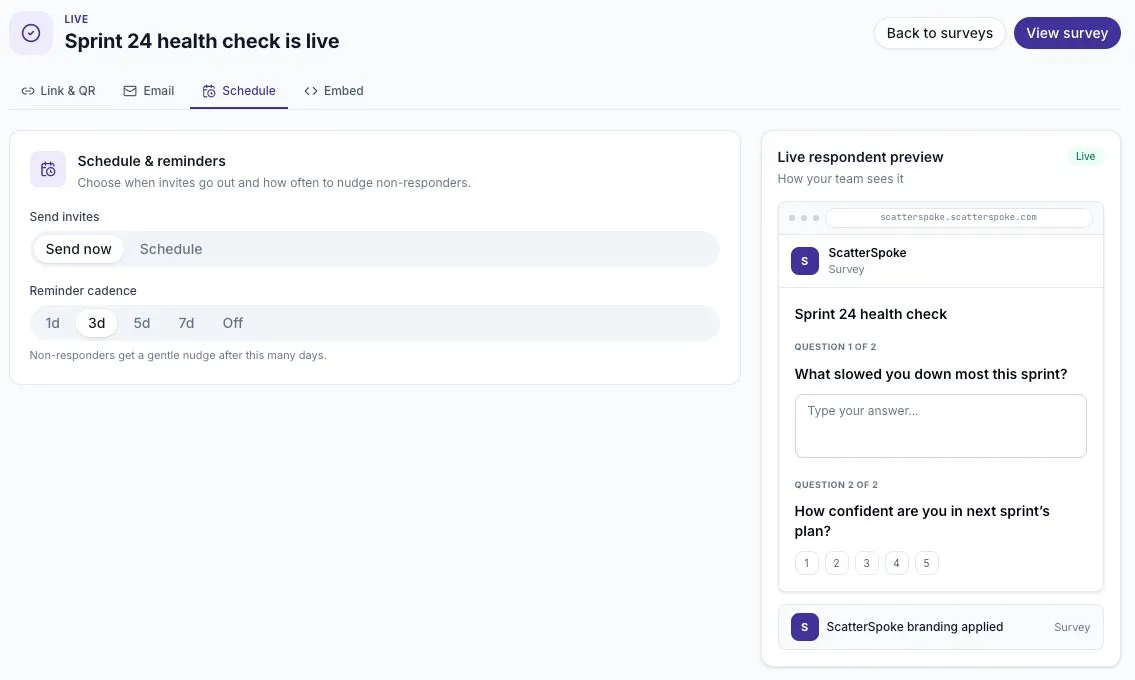
Each run collects its own responses. The access links and response windows for one run do not mean that every future run stays open indefinitely.
Choose a useful cadence
Section titled “Choose a useful cadence”| Cadence | Example | Check before repeating |
|---|---|---|
| Each sprint | A short delivery health check | Did the team try the previous improvement? |
| Monthly | A process or collaboration pulse | Has enough changed to ask again? |
| Quarterly | A broader team experience review | Is the survey still focused and relevant? |
Start with the slowest cadence that still helps your team make decisions. If response rates fall, review the length, timing, and whether participants are seeing results.
Keep comparisons fair
Section titled “Keep comparisons fair”Keep the core wording and answer scales stable. If you change a question from “this week” to “the last three months,” the results no longer measure the same period.
Compare the number and mix of participants as well as the answers. A different result may reflect a different group of people responding.
Anonymous responses should be reviewed as group feedback. Do not try to use recurring runs to identify an anonymous participant.
Review each round
Section titled “Review each round”Read the individual run first, then compare its themes with earlier rounds. Use Ask to select relevant sources and state the periods you want to compare.
Choose one follow-up action, an owner, and a review date. Keep enough history for your comparisons by checking the workspace’s retention policy.
A duplicated survey is a separate copy. Do not assume a manual duplicate has joined an existing recurring series.