

Give feedback as a participant
Answer a survey or join a team retrospective, understand access and privacy, and know what to do if your link does not work.
Someone has invited you to give feedback. Start with the link they sent. You do not need a paid seat just to participate, but the session may require email verification or membership in the organizer’s workspace.
Answer a survey
Section titled “Answer a survey”- Open the survey link and read the introduction.
- If asked, enter your email address and follow the verification email before continuing.
- Answer the questions in your own words. A specific example helps the organizer understand your experience.
- Complete the submission step and check the confirmation before closing the page.
A Static Survey follows a fixed question set. An Agent Survey asks questions in a conversation and may follow up on your answer. See the participant experience for returning to a response and editing after submission.
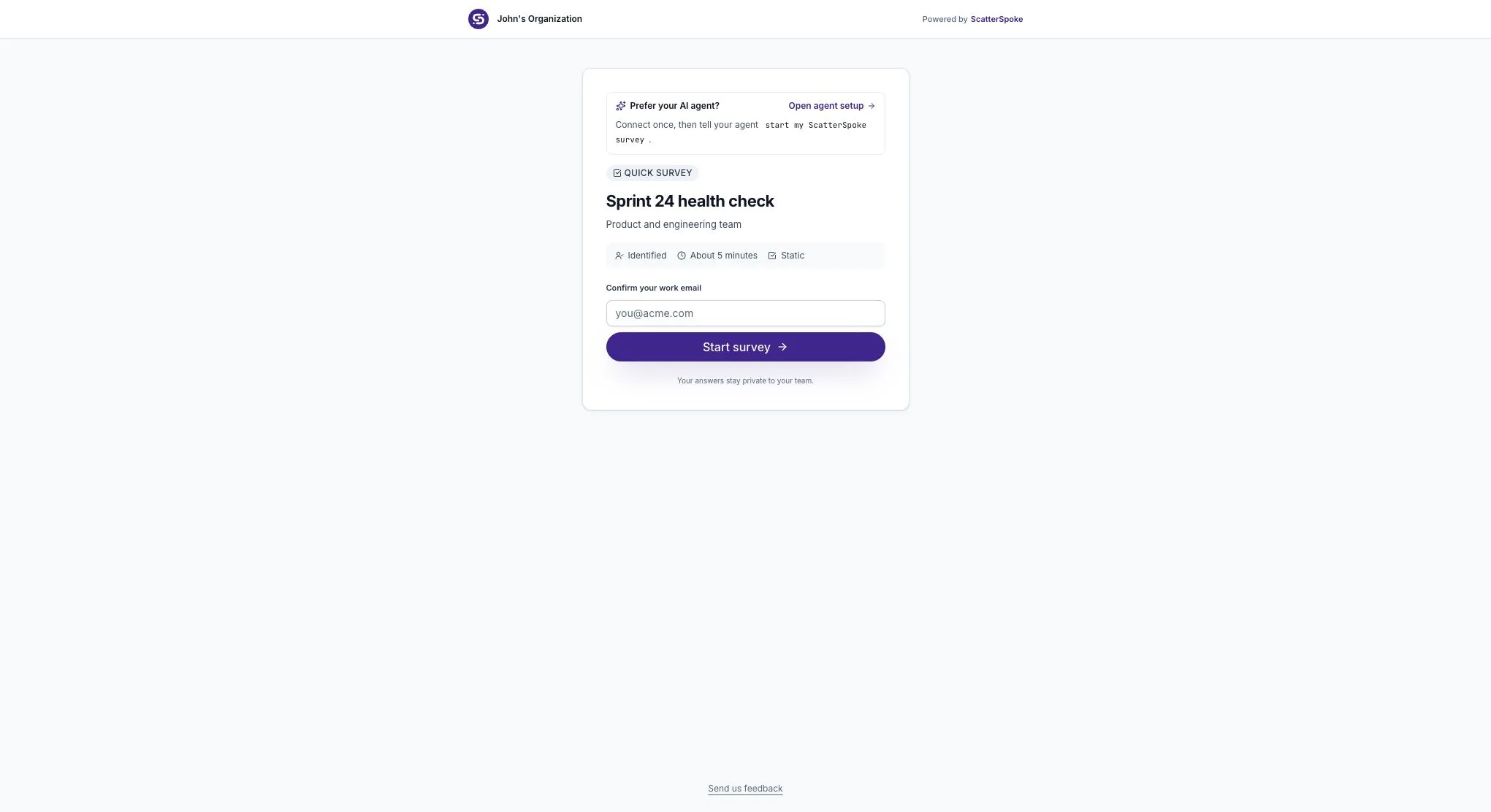
Check the survey name before entering your email or answering.
Join a retrospective
Section titled “Join a retrospective”Open the board link from your facilitator. The board’s access setting determines whether you must sign in, verify an email, or already belong to the workspace. You cannot change that requirement yourself.
In a guided retro, the facilitator moves the board through four phases:
| Phase | What you do |
|---|---|
| Feedback | Write one clear observation or idea per card |
| Group | Help check which cards describe the same topic |
| Vote | Use your vote budget to choose what the team should discuss |
| Review | Discuss the selected topics and agree on next steps |
When blind voting is on, you can see your own votes but the team’s totals stay hidden until Review. See the Vote phase.
Check who can see your feedback
Section titled “Check who can see your feedback”Do not assume a survey or retro is anonymous because you joined through a link. The organizer chooses the privacy settings. Ask them before writing if you are unsure who can see your name or answers.
In a retro, Private until reveal hides cards during the writing phase and reveals them later. That is different from hiding authors’ names. See privacy and anonymity.
Avoid putting passwords, customer information, or private details about coworkers in a response.
If you cannot continue
Section titled “If you cannot continue”- No verification email: check the address and spam folder, then use the newest message if you request another.
- Access denied or an expired link: ask the organizer to check the session’s access settings and send you a current link.
- Cannot add a card or vote: the board may be in a different phase, closed, or your vote budget may be used up. Ask the facilitator to check.
- Unsure whether an answer was saved: return through the original link and check the page before submitting again.
For more help, use Troubleshooting. Include the session name and the error you see when contacting the organizer; do not send them a password or verification code.