

Review survey responses
Find survey responses, read answers in context, and export the results for further review.
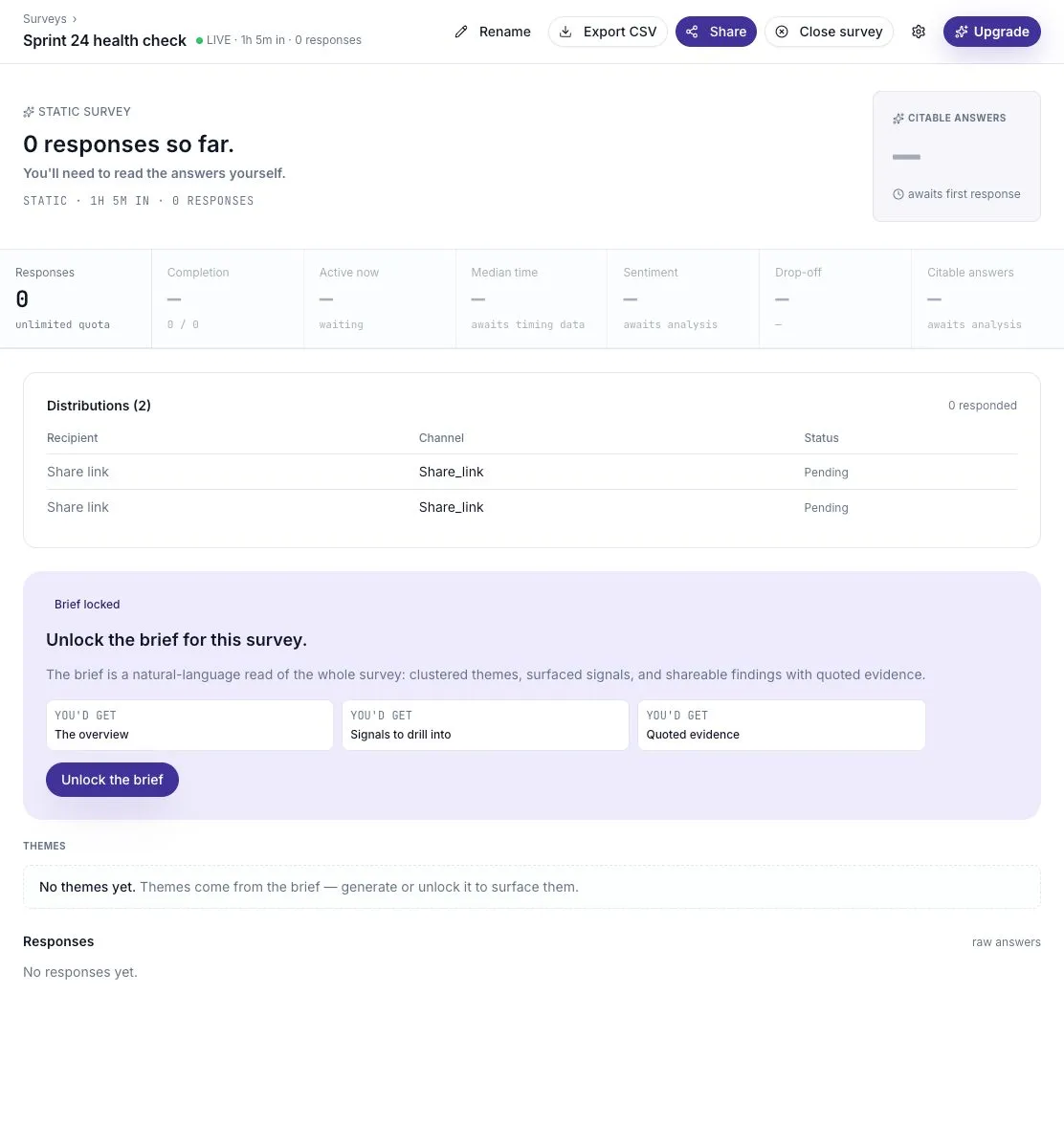
Open Surveys, then select the survey you want to review. Its detail page shows the number of responses, distributions, and the answers collected so far.
Read the responses
Section titled “Read the responses”- Open the survey’s Responses section.
- Select a response to read the questions and answers together.
- For an Agent Survey, read the follow-up questions too. They provide context for the participant’s answer.
- Look for both common points and disagreements before drawing a conclusion.
A transcript is the record of that conversation. Static Surveys use the questions you wrote; Agent Surveys may ask different follow-ups for each person.
For example, “Reviews took too long” means more when you can see whether the person was asked about code reviews, design reviews, or the whole sprint.
Check how much feedback you have
Section titled “Check how much feedback you have”Response counts refer to submitted feedback. Distribution counts describe access links and invitations; they are not a count of people who finished. A share link can be used by several people, so do not calculate participation by dividing responses by the number of links.
Before reporting a theme, note how many people answered and who was invited. Three similar comments can be worth acting on without representing the entire team.
Understand an empty result
Section titled “Understand an empty result”No responses yet means nobody has submitted a response that appears in this view. Creating a share link does not create a response. A distribution marked Pending is not a completed answer.
Check that the survey is live and that participants have the correct link. If verification is required, they must complete that step before answering. See the participant experience.
A dash in a metric means that value is not available yet. Do not read it as a zero or a negative result.
Use summaries carefully
Section titled “Use summaries carefully”The response list and the AI brief are different parts of the page. You can read raw answers even when the brief is locked by your plan. An available brief can help you spot themes, but check the original answers before sharing a finding.
See feedback summaries for generation and refresh behavior, or turn feedback into a next step for a review process.
Export the results
Section titled “Export the results”Choose Export CSV in the survey header to download the survey data. Keep exported responses in a place with appropriate access for your team, especially when they include names or sensitive comments.
Participants also have a way to save their own transcript at the end of the response flow.
Turn an answer into an action
Section titled “Turn an answer into an action”Start with a specific observation, check the original wording, then propose a small change. For example: “Two responses mention waiting for code review. Let’s try a daily review window for one sprint and ask whether waiting time improved.” This is a suggested way to write an action, not a result from the example screenshot.
Record an owner and a date to check the outcome. Share the change with participants so they know their feedback led somewhere. Turn feedback into a next step provides the full review process.
If a response seems to be missing
Section titled “If a response seems to be missing”- Refresh the results page and check that you opened the intended survey.
- Ask the participant whether they reached the submission confirmation. Opening a link or completing verification is not a submission.
- Check any active response filters and load more responses if the list offers that option.
- Remember that a participant’s revision updates their answer; it does not add another completed response.
Revised answers
Section titled “Revised answers”When participants edit within the allowed edit window, their revised answer replaces the current response. Treat the transcript as their current answer, rather than a history of every change.