

How to Create a New Column
To create a new column on your column-based retrospective board, navigate to the right-most side of your existing board until the columns end.
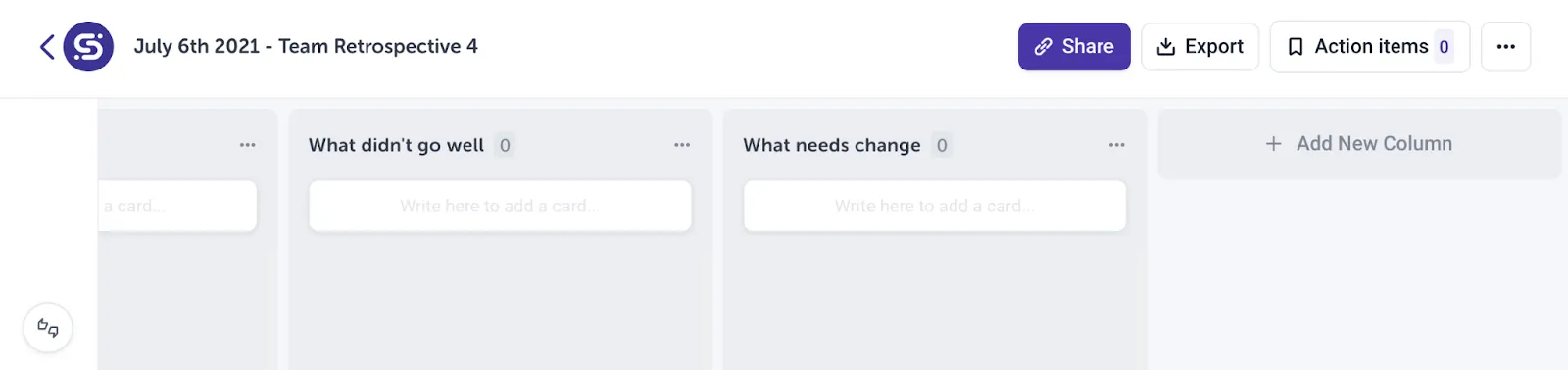 Click on ”+ Add New Column”. This will generate a new column on the board that you can name appropriately.
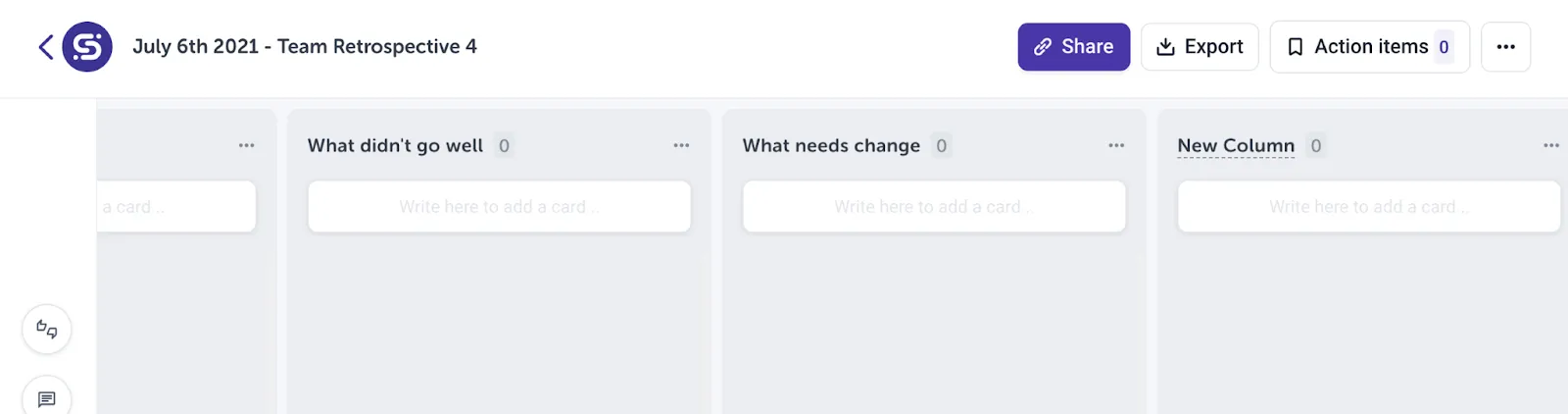 Click directly on the blank column name “New Column” to rename the column.
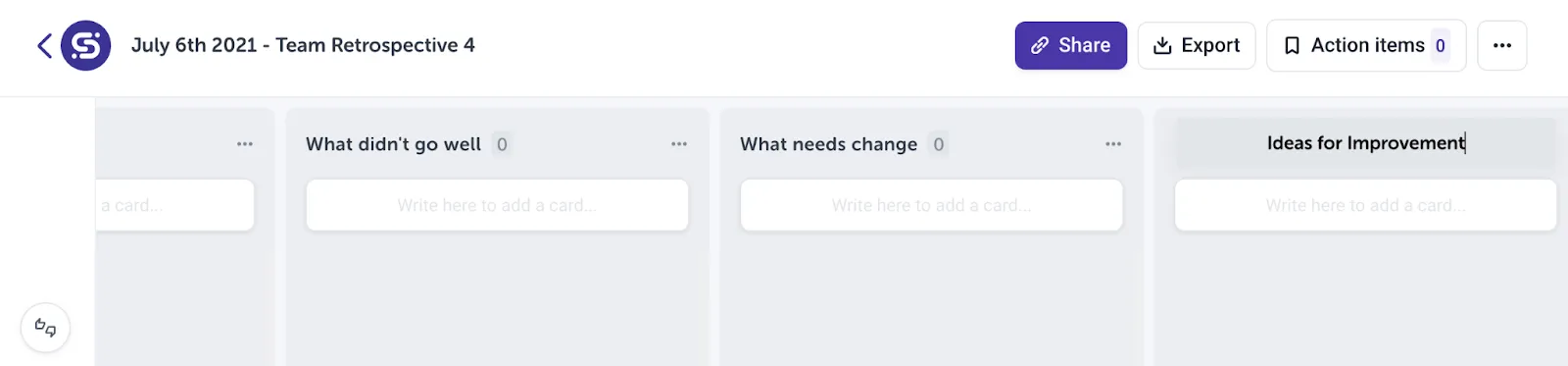 Press enter to save your changes and you’re done! The new column will now be visible to anyone who has access to the retrospective board.