

Asynchronous Feedback
Feedback can be collected in many ways. Asynchronous (Async) Feedback collection is a lightweight method that speeds up collection, improves engagement, and minimizes expensive and disruptive meetings. Plus, Async Feedback collection occurs in tools you use all day, everyday - meeting your team where they’re at.
You will find “Async Feedback” in the Feedback dropdown menu on the Dashboard or Feedback pages.
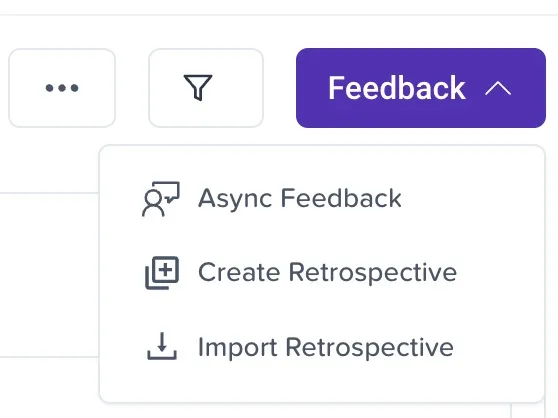
Feedback Menu
You will be prompted to “Schedule Team Feedback” the first time you select “Async Feedback”.

Schedule Team Feedback window.
Clicking “Schedule Team Feedback open the “Set Up Feedback Schedule” window.
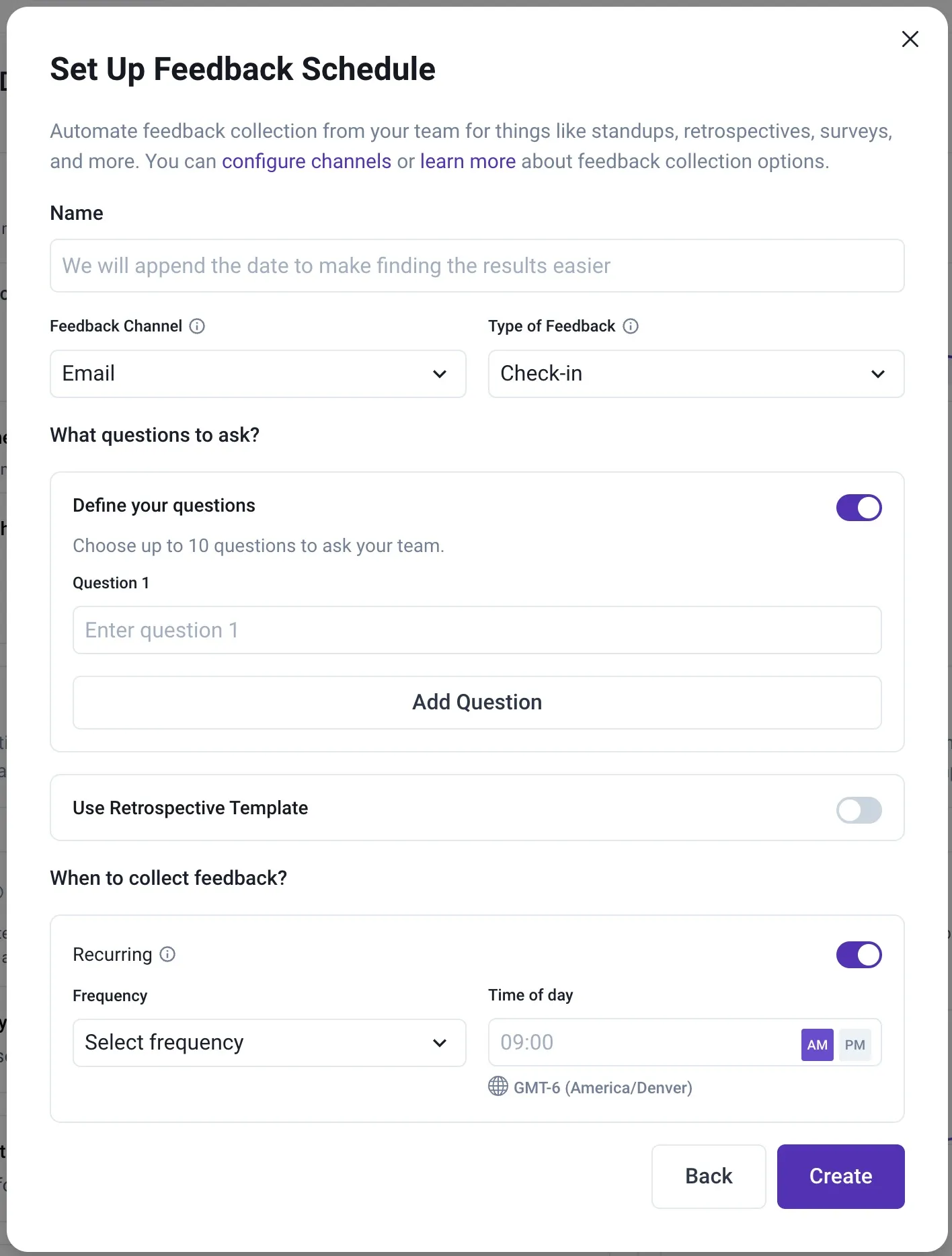
Configure Async Feedback Schedule
Now you can configure your Async Feedback by specifying:
- Name: Personalize your feedback collection session with a relevant name.
- Feedback Channel: Select the method of collection: email, Slack, or Teams. (The Slack and Teams integrations must be configured to be selectable.)
- Questions: You can define your own questions (max of 10) or use a Retrospective Template.
- When to collect feedback:
- Enable/disable the Recurring option.
- Select the Frequency
- Set the “Time of day”.
- Note: This will default to your timezone. Keep this in mind when scheduling for distributed teams.Here’s an example of a Daily Stand Up.
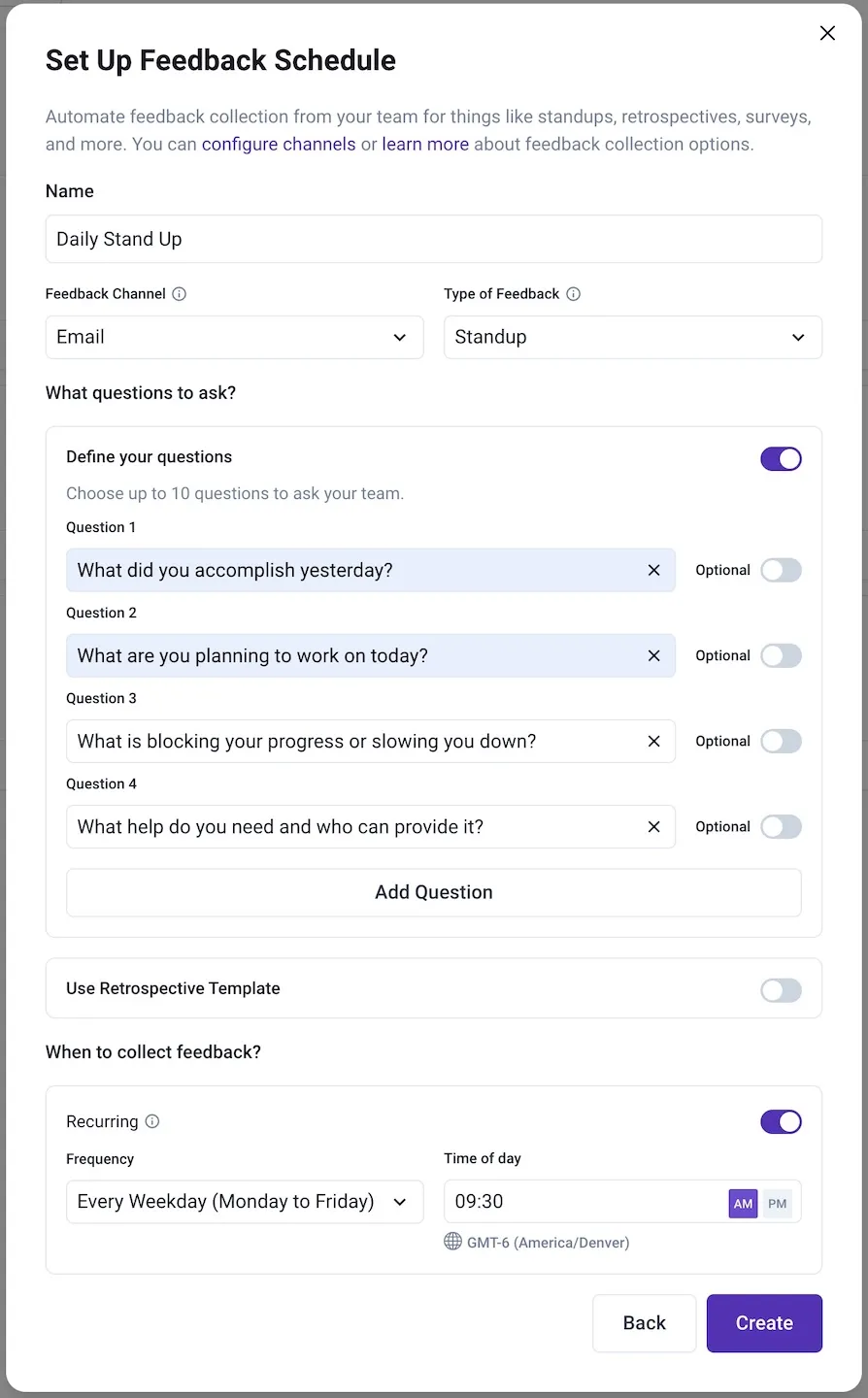
Async Feedback - Daily Stand Up example.
Click the Create button to save your new Async Feedback schedule. You will then be taken to the Team Feedback Schedule window.
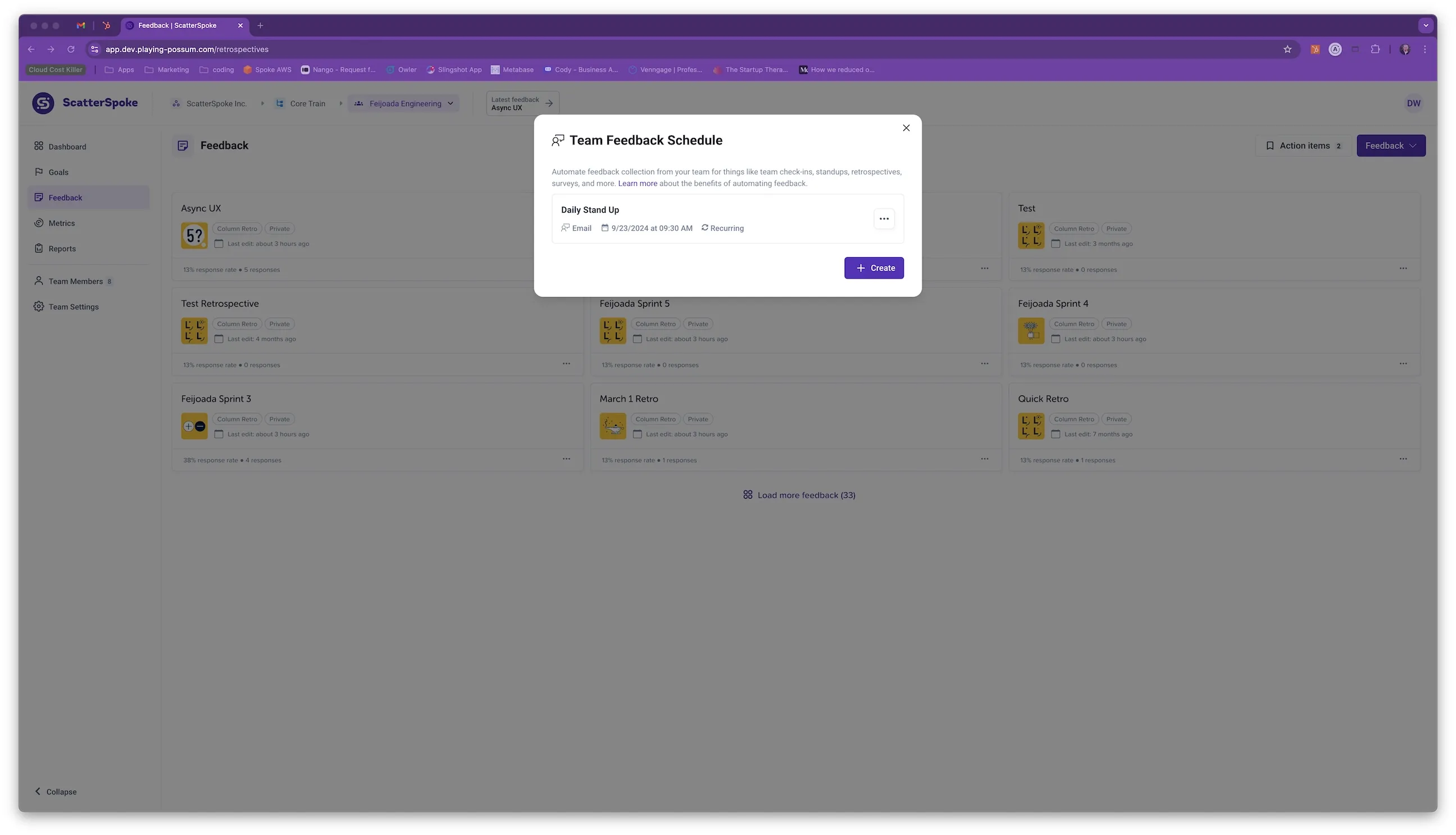
Team Feedback Schedule window.
This is the window you will see when you select Async Feedback from the Feedback dropdown menu in the future.
The three dots menu on each Async Feedback item allows you to Edit, Trigger, or Delete the item.

Async Feedback - Three Dots menu.
The Trigger action sends initiates the Async Feedback collection and sends a message to every team member immediately. This is a great way to collect feedback on an ad hoc basis by reusing a preconfigured Async Feedback item.
A new Feedback card is shown on the Feedback page when your Async Feedback schedule runs. The card’s title is the Name of your Async Feedback item and the date.
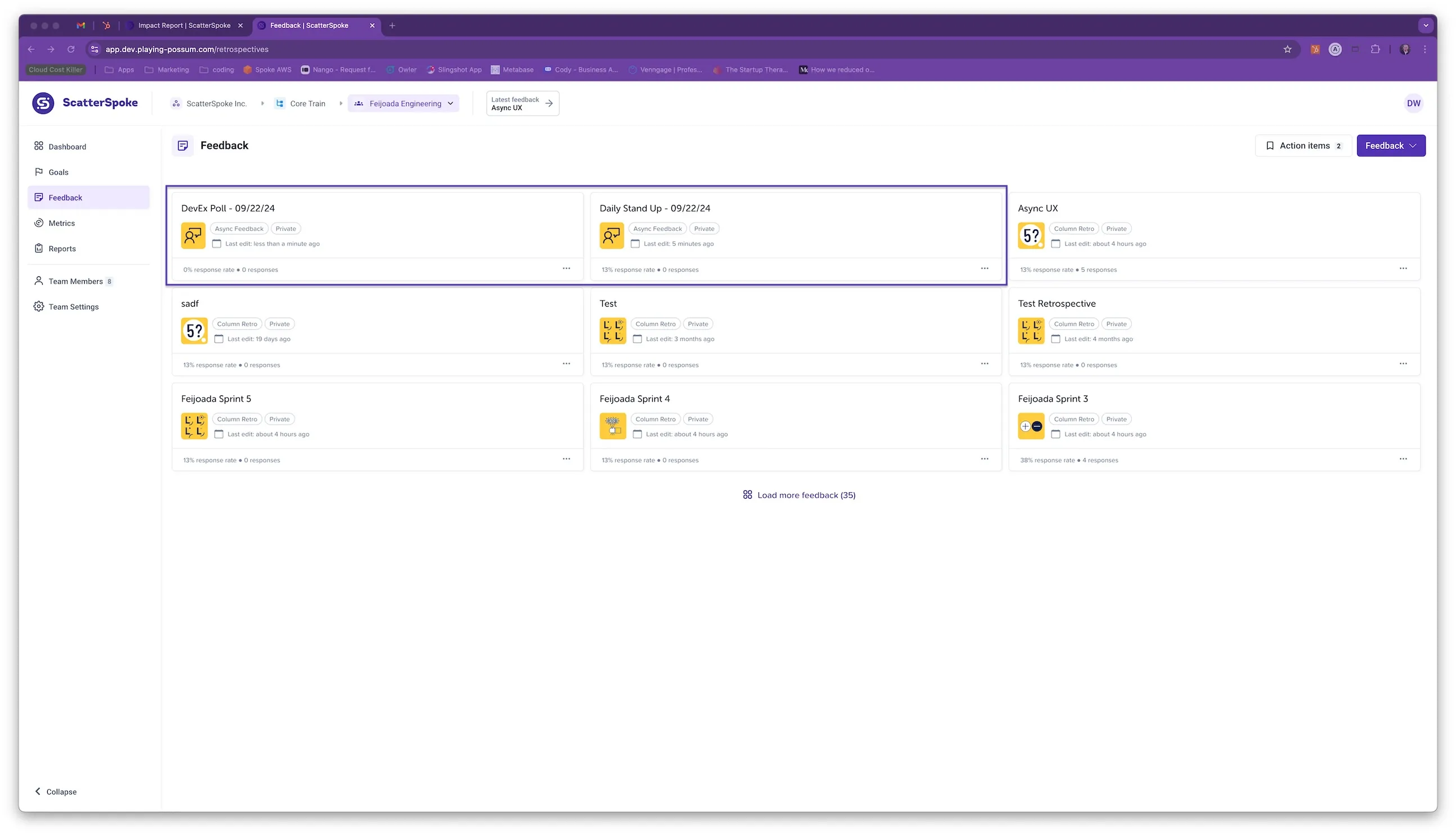
Feedback Page with new Feedback cards from Async Feedback.